
Resize Images to 1400x1400 Pixels – Fast, Free & No Watermark
Bulk Process Up to 100 Images with Auto or Manual Crop
Transform your images to perfect 1400×1400 square dimensions in seconds. Our free online tool processes everything in your browser—no uploads to servers, no signup required, and absolutely no watermarks on your resized images.
- Bulk resize up to 100 images
- Auto & manual crop options
- Privacy-focused processing
- No watermark or signup
Welcome to Bulk Image Resizer
Drag & Drop your images here or click to select files
✨ Supports: JPG, PNG, WebP, AVIF, BMP, SVG, GIF, HEIC
All processing happens in your browser. Please keep backup copies of your original files — we are not responsible for any file loss or conversion issues.
Welcome to Bulk Image Resizer
Drag & Drop your images here or click to select files
✨ Supports: JPG, PNG, WebP, AVIF, BMP, SVG, GIF, HEIC
How to Resize Image 1400x1400 in 3 Simple Steps
Our browser-based resizer makes it easy to transform your photos to perfect square dimensions. Follow these quick steps:
Step 1: Upload Your Images
Drag and drop up to 100 images into the resize box. Supported formats include JPG, PNG, WebP, and more. You can select multiple files at once from your computer or mobile device.
Step 2: Automatic Resizing & Custom Adjustments
Your images are instantly resized to 1400×1400 pixels upon upload. Want more control? Adjust each image individually using Fill, Fit, Auto Crop, or Manual Crop modes. You can also convert formats (JPG to PNG, PNG to WebP, etc.) right from the interface.
Step 3: Download Your Resized Files
Process your images instantly and download them individually or as a single ZIP file for bulk downloads. Each file maintains its quality settings and chosen format.
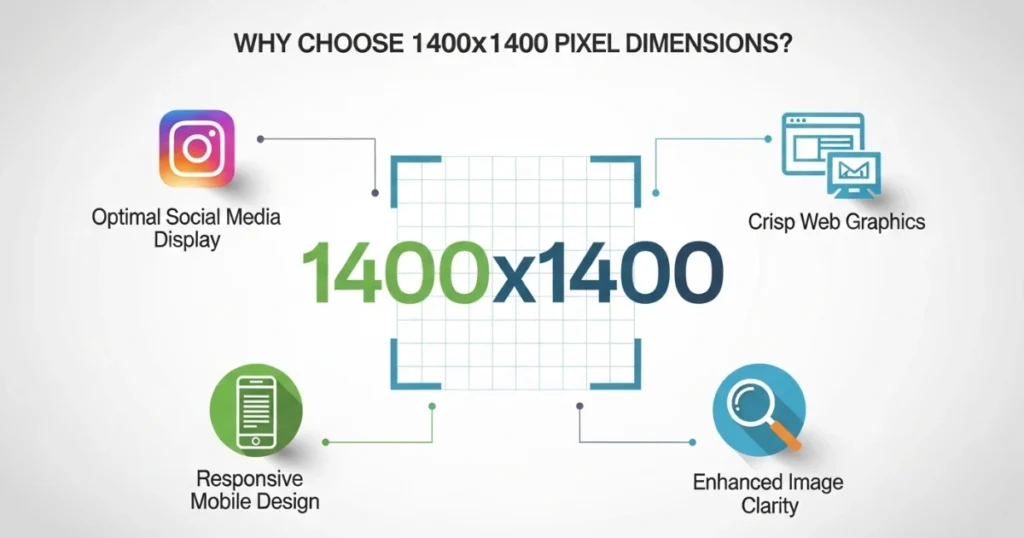
Why Choose 1400x1400 Pixel Dimensions?
The 1400×1400 format is a versatile square size perfect for multiple uses across digital and print media.

Preparing Album Artwork
While Instagram’s standard is 1080×1080, using 1400×1400 provides extra resolution for high-quality displays and future-proofs your content against platform updates. This dimension ensures your posts look crisp on Retina displays and 4K screens.
E-commerce Product Images
Profile Pictures and Thumbnails
Print and Digital Materials
At 1400×1400 pixels, you get roughly 4.7 inches at 300 DPI—ideal for small prints, business cards, or digital graphics. This resolution works well for both screen display and physical printing.
Print and Digital Materials
Need a larger master file? Most distributors (DistroKid, TuneCore) accept 1400×1400, but Spotify and Apple Music’s preferred delivery size is 3000×3000— resize once at the larger size and downscale from there for the sharpest result across every platform.
Bulk Resize Multiple Images to 1400x1400
Save time by processing entire photo collections at once. Our bulk image resize tool handles up to 100 files simultaneously without compromising quality or speed.
How Bulk Processing Works
Upload multiple images in one go. Each file automatically gets resized to 1400x1400 pixels while maintaining individual quality settings. The tool processes all images simultaneously, so you don't wait for files to resize one by one. Download everything as a compressed ZIP file when finished.
Maintain Consistent Dimensions Across Projects
Perfect for photographers, designers, and e-commerce sellers who need uniform image sizes across product catalogs or portfolios. Consistent dimensions create a professional, polished look for websites, online stores, and social media galleries.
No File Limit Penalties
Unlike other tools that charge for batch processing or limit free users to 5-10 images, our service processes all 100 images completely free with no watermarks. There's no premium tier or paid upgrade required to access bulk features.
Speed and Efficiency
Processing happens entirely in your browser using modern web technologies. This means faster resize operations compared to tools that upload files to remote servers. Most batches complete in seconds, not minutes.
Auto Crop vs Manual Crop: Choose Your Method
Get precise control over how your images fit into the 1400×1400 square format with multiple cropping options.
Auto Crop Feature
Let our tool automatically crop images to fit perfectly. The algorithm identifies the most important part of your image and centers it within the square dimensions. This intelligent cropping detects faces, objects, and areas of high contrast to preserve the most visually important elements.
Best for: Quick batch processing, product photography, social media posts, profile pictures
How It Works: Upload your image and select Auto Crop mode. The tool analyzes the composition and applies optimal cropping instantly. Review the result and adjust manually if needed.
Manual Crop Control
Take full control with adjustable crop boundaries. Click and drag to select exactly which part of your image to keep within the 1400×1400 frame. Move the crop box, resize it, or reposition your image underneath.
Best for: Portrait photos, artistic compositions, images with specific focal points, detailed product shots
Precision Controls: Use the drag handles to adjust crop area. Preview updates in real-time so you see exactly what your final image will look like before downloading.
Fill and Fit Modes
Fill Mode: Crops the image to fill the entire 1400×1400 space without empty areas. This option ensures no white borders or padding, but may trim some edges of your original photo.
Fit Mode: Scales the image to fit within dimensions, adding padding if needed. Useful when you want to preserve the entire original image without any cropping. The tool adds white, black, or transparent backgrounds depending on your format choice.
Free Online Tool with No Signup Required
Start resizing immediately without creating an account or providing personal information. Our tool prioritizes accessibility and user privacy.
Instant Access
No registration forms, no email verification, no payment details. Just upload and resize. The tool loads instantly in any modern browser—Chrome, Firefox, Safari, or Edge.
Browser-Based Processing
All image transformations happen locally in your browser using JavaScript and HTML5 Canvas technology. Your original files never get uploaded to external servers, ensuring complete privacy and data security.
Zero Watermarks
Your resized images remain clean and professional. We never add logos, text overlays, or branding to your files. What you download is purely your content, resized to 1400×1400 pixels.
No Hidden Costs
Many online resizing tools advertise as “free” but lock essential features behind paywalls. Our tool provides full functionality—bulk processing, manual cropping, format conversion, and ZIP downloads—completely free forever.
Supported Image Formats and Quality Settings
Compatible File Types
Resize JPG, JPEG, PNG, WebP, GIF, and BMP images to 1400×1400 pixels. Upload files in any supported format and convert between formats during the resize process.
Format Conversion Options
Convert JPG to PNG for transparent backgrounds, or PNG to JPG to reduce file size. Switch to WebP format for modern websites that prioritize fast loading times. The converter handles format changes automatically during the resize operation.
Quality Preservation Controls
Choose between compression levels to balance file size and image quality. Higher quality settings (90-100%) maintain more detail but create larger files. Lower settings (60-80%) significantly reduce file size with minimal visible quality loss.
Aspect Ratio Lock
Enable this feature to maintain your image’s original proportions while resizing. Disable it to stretch or squeeze images into exact square dimensions. The lock prevents distortion when working with non-square original images.
Compression Without Quality Loss
Our smart compression algorithm reduces file sizes while preserving visual quality. Images resized to 1400×1400 typically range from 100KB to 500KB depending on content complexity and quality settings.
Download Options: Individual or ZIP
Single Image Download
Process and download one image at a time—perfect for quick edits or when you only need specific files. Click the download button beneath each resized image for instant access.
Bulk ZIP Download
Resize multiple images and receive them in one compressed archive. Ideal for large projects or when working with entire photo sets. The ZIP file organizes all resized images with clear naming conventions.
File Naming Conventions
Downloaded files automatically include dimension information in their names, making it easy to organize your resized images. For example, “product-photo-1400×1400.jpg” clearly indicates the size without opening the file.
Download Speed
Since processing happens in your browser, downloads start immediately. No waiting for server processing or file transfers. Large batches download as quickly as your internet connection allows.
Perfect for Instagram, E-commerce, and More
Social Media Images
Create square posts that look professional on Instagram, Facebook, LinkedIn, and Pinterest. The 1400×1400 size ensures your content displays sharply across all devices—from mobile phones to desktop monitors.
Instagram Posting
While Instagram compresses to 1080×1080, starting with 1400×1400 gives you extra resolution headroom. This prevents quality loss during Instagram’s compression process.
Facebook and LinkedIn
Both platforms support square images up to 2048×2048. Using 1400×1400 provides excellent quality without creating unnecessarily large files that slow down upload times.
Online Store Product Photos
E-commerce platforms often require consistent image dimensions. Resize your entire product catalog to maintain a uniform, professional appearance across your store.
Shopify Requirements
Shopify recommends square product images between 1024×1024 and 2048×2048. The 1400×1400 dimension sits perfectly in this range.
Amazon Listings
Amazon requires minimum 1000×1000 pixels for zoom functionality. Using 1400×1400 meets this requirement while keeping file sizes optimized for fast loading.
Etsy Shop Optimization
Etsy displays product thumbnails as squares. Resizing all listings to 1400×1400 creates visual consistency that looks professional and trustworthy to potential buyers.
App Icons and Graphics
Generate appropriately sized graphics for mobile apps, browser extensions, or digital interfaces using our preset dimension options.
Android App Icons
While Android uses multiple icon sizes, 1400×1400 works as a high-resolution master file. You can then resize to specific launcher icon dimensions (192×192, 512×512) as needed.
iOS App Assets
Create marketing assets and high-resolution previews for App Store listings. The 1400×1400 format works well for square promotional graphics.
Profile Pictures Across Platforms
Ensure your avatar looks great everywhere—from social profiles to professional networking sites—by using standard square dimensions.
LinkedIn Profile Photos
LinkedIn recommends 400×400 minimum but displays larger on high-resolution screens. Using 1400×1400 ensures crisp display across all devices.
Discord and Slack Avatars
Gaming and workplace chat platforms use square profile pictures. A 1400×1400 source image scales cleanly to any required size.
Understanding Image Quality and File Size
When you resize image 1400×1400 pixels, understanding the relationship between quality and file size helps you make better decisions.
Resolution vs File Size
A 1400×1400 pixel image contains 1,960,000 pixels. File size depends on format, compression, and image complexity. Photos with lots of detail require more storage than simple graphics.
JPG vs PNG for 1400x1400
JPG format typically creates smaller files (100-300KB) but doesn’t support transparency. PNG maintains transparency and lossless quality but generates larger files (300-800KB).
WebP Format Benefits
WebP combines the best of both formats—smaller file sizes than JPG with support for transparency like PNG. Many modern websites use WebP to improve page loading speed.
Optimal Quality Settings
For social media: 80-85% quality balances appearance and upload speed
For e-commerce: 90-95% quality maintains product detail
For web backgrounds: 70-80% quality reduces page weight
Privacy and Security Features
No Server Uploads
Your images never leave your device. All resizing, cropping, and format conversion happens in your browser using client-side processing. This means your photos, product images, or personal pictures stay completely private.
HTTPS Encryption
Our website uses secure HTTPS connections to protect your browsing session. Even though images aren’t uploaded to servers, the tool itself loads over an encrypted connection.
No Data Collection
We don’t track which images you resize, how many files you process, or what dimensions you choose. No cookies, no analytics on your file operations, no usage logs.
Safe for Sensitive Content
Resize confidential product photos, client work, or personal images with confidence. Since processing happens locally, there’s no risk of data interception or unauthorized access.
Common Questions About Resizing to 1400x1400
What happens to image quality when I resize?
Our tool maintains maximum quality during the resize process. You can adjust compression settings to find the right balance between file size and visual clarity. Starting with high-resolution source images produces the best results.
Can I resize images larger than their original size?
Yes, though upscaling may reduce sharpness. For best results, start with images at least 1400 pixels on their shortest side. Upscaling smaller images can introduce blur or pixelation.
Does bulk processing reduce quality compared to single images?
No. Each image in a batch receives the same quality treatment as single-file processing. Bulk operations use the same resize algorithms and quality settings.
Will my images be stored on your servers?
Never. All processing happens in your browser, and files remain on your device throughout the entire process. Once you close the browser tab, all data is cleared.
Can I resize images on mobile devices?
Yes. Our tool works on smartphones and tablets through mobile browsers. The interface adapts to smaller screens while maintaining full functionality.
What's the maximum file size I can upload?
Most browsers handle files up to 10-20MB without issues. Extremely large files (over 50MB) may slow down processing depending on your device’s capabilities.
How do I resize image 1400x1400 without losing transparency?
Use PNG format throughout the process. Upload PNG files and ensure the output format is also set to PNG. JPG format doesn’t support transparency.
Can I undo changes before downloading?
Yes. Refresh your browser or click “Clear All” to start over. Since nothing is saved until you click download, you can experiment with different settings freely.
Tips for Best Results When You Resize Image 1400x1400
Start with High-Quality Source Files
Higher resolution original images produce better results when resized. Avoid using images already compressed multiple times or downloaded from low-quality sources.
Use Appropriate Formats
Photos → JPG (smaller files, good for detailed images)
Graphics with text → PNG (crisp edges, supports transparency)
Modern websites → WebP (best compression with quality)
Test Different Crop Modes
Try both Auto Crop and Manual Crop to see which preserves your image better. Auto works great for centered subjects, while Manual gives you complete control over composition.
Check Preview Before Downloading
Review the resized image preview to ensure cropping looks correct. Zoom in if needed to check important details.
Batch Similar Images Together
Group photos with similar characteristics (orientation, subject matter) for more consistent bulk processing results.
Start Resizing Images to 1400x1400 Now
Use the drag-and-drop interface above to begin transforming your images. No download, no installation, no signup—just instant, professional results.
Whether you need to resize image 1400×1400 for Instagram posts, product photography, profile pictures, or any other use case, our free online tool delivers fast, high-quality results without watermarks or restrictions.
Upload your first batch now and experience browser-based resizing that respects your privacy while delivering professional-grade output.
Other Sizes Besides the 1400x1400 Image Resizer
Just compressed your image using our 500KB Image Compressor? If a different file size target works better for your next upload, try one of these related compression tools.