
BMP to WebP Converter – Free Online Tool
Fast Bulk Compression with No Quality Loss
Convert BMP to WebP instantly with our free online converter. Process multiple files at once while achieving 80-90% file size reduction. WebP delivers superior compression with transparency support and 95%+ browser compatibility for modern web applications.
- No watermarks
- No Registration
- No Signup
- Universal compatibility
- Instant ZIP Download
- 100% Private: Browser-Only Processing
Welcome to Bulk Image Converter
Drag & Drop your images here or click to select files
✨ Supports: JPG, PNG, WebP, AVIF, BMP, SVG, GIF, HEIC
All processing happens in your browser. Please keep backup copies of your original files — we are not responsible for any file loss or conversion issues.
Welcome to Bulk Image Resizer
Drag & Drop your images here or click to select files
✨ Supports: JPG, PNG, WebP, AVIF, BMP, SVG, GIF, HEIC

How to Convert BMP to WebP Online in 3 Easy Steps
Step 1:Upload
Drop your BMP files or click to browse
Step 2: Automatic Conversion
Instant conversion to WebP format
Step 3: Instant Downloads – Single or Bulk
Get files individually or as ZIP
Why Use Our BMP to WebP Converter?
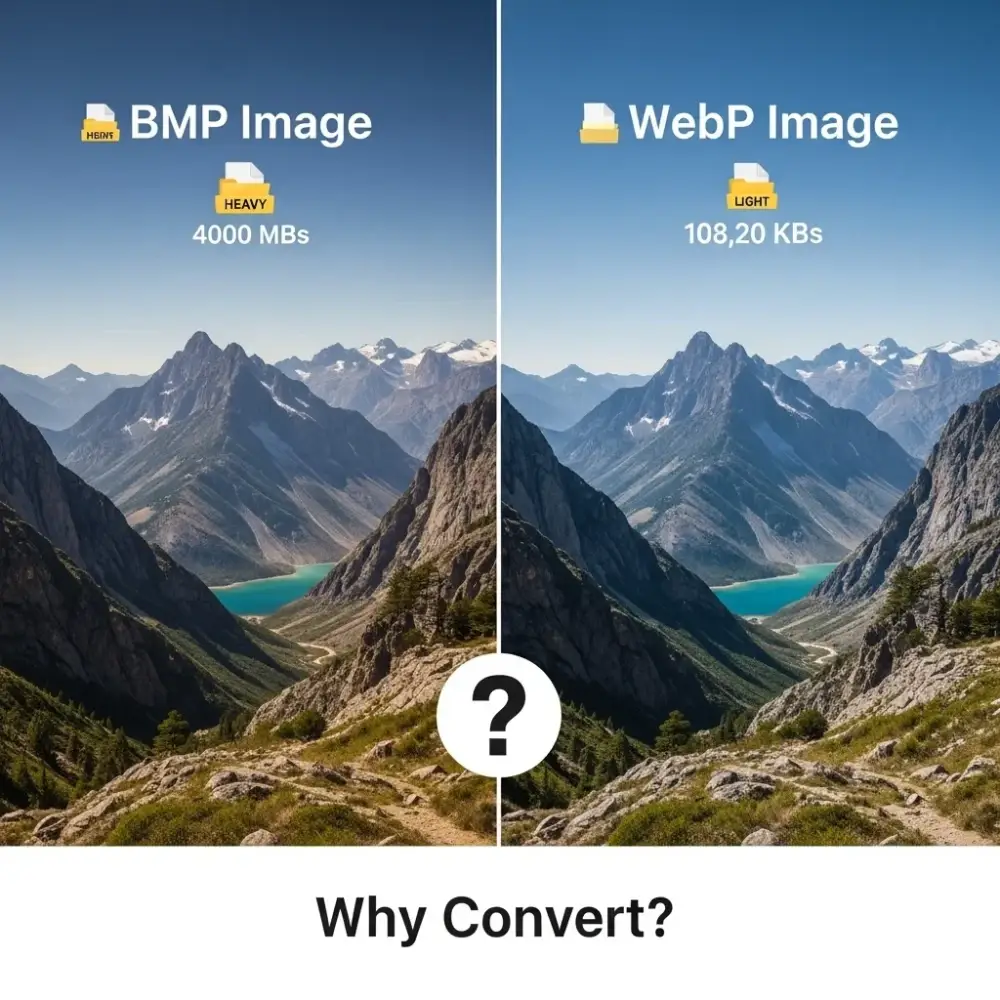
When you convert BMP to WebP online, you transform massive uncompressed bitmap files into highly optimized web-ready images. WebP’s advanced compression technology, developed by Google, reduces file sizes by 80-90% compared to BMP while maintaining excellent visual quality, making it the superior choice for websites, mobile apps, and digital media.
Key reasons to convert BMP to WebP
80-90% Smaller File Sizes
Our BMP to WebP Converter achieves exceptional compression ratios of 80-90% through Google’s advanced VP8 codec technology. Unlike BMP’s uncompressed format that stores raw pixel data, WebP uses predictive encoding and intelligent compression algorithms to dramatically reduce file sizes without sacrificing visual quality. Perfect for web developers, designers, and content creators who need fast-loading images without storage bloat.
Lossy & Lossless Compression Options
Convert BMP to WebP with flexible compression modes tailored to your needs. Understanding lossy and lossless compression helps you choose the right mode: lossless compression for perfect pixel-by-pixel accuracy or lossy compression for maximum file size reduction while maintaining excellent perceptual quality. WebP’s alpha channel delivers superior transparency support—something BMP completely lacks—essential for logos, icons, overlays, and graphics requiring see-through backgrounds.
95%+ Browser Compatibility & Google Backing
Using our batch BMP to WebP Converter, you adopt a format with 95%+ browser support across Chrome, Firefox, Safari, Edge, and Opera. Developed and maintained by Google since 2010, WebP has become an industry standard trusted by major platforms including YouTube, Netflix, Facebook, and millions of websites worldwide. This widespread adoption ensures your converted images display reliably across all modern devices, operating systems, and web browsers.
Benefits of Converting BMP to WebP Online
Using our free BMP to WebP Converter delivers significant advantages for web performance and efficiency:
- No Software Installation Required: Convert BMP to WebP directly in your browser without downloading or installing desktop applications
- Universal Cross-Platform Support: Works seamlessly on Windows, Mac, Linux, iOS, Android, and ChromeOS devices
- Bulk Batch Processing: Convert multiple BMP files simultaneously with unlimited file quantity—perfect for large image libraries
- Complete Privacy Protection: All conversions process locally in your browser—files never upload to servers, ensuring total privacy and security
- Lightning-Fast Conversion: Instant processing with immediate download access for both single and batch conversions
- Zero Cost, No Restrictions: Completely free forever with no watermarks, registration requirements, file limits, or hidden fees
- Modern Web Optimization: WebP’s superior compression dramatically improves website load times, reduces bandwidth costs, and enhances SEO rankings through faster page speeds
BMP vs WebP: Which Format Should You Choose?
Understanding the fundamental differences between BMP and WebP helps you optimize your image workflow effectively. While BMP offers simplicity and uncompressed quality, WebP dominates modern web applications with its intelligent compression, advanced features, and significantly smaller file sizes.

BMP Format (Bitmap Image File)
- No compression or minimal compression
- No transparency support
- Very large file sizes
- Stores raw pixel data
- Universal support across all platforms
- Developed by Microsoft (1986)
Use BMP when: You need lossless quality for image editing/processing, working with Windows applications that require BMP format, or when file size is not a concern and maximum image fidelity is required.
WebP Format (Web Picture Format)
WebP revolutionizes web imaging through advanced compression technology developed by Google in 2010. Learn more about the WebP image format at Google Developers. Built on the VP8 video codec, WebP delivers substantially smaller file sizes than BMP while offering superior features including transparency, animation, and both lossy and lossless compression modes optimized for modern web performance.
- Good compression with faster encoding
- Supports full transparency (alpha channel)
- Both lossy and lossless compression options
- Excellent quality with better compatibility
- Wide browser support (95%+)
- Developed by Google (2010)
Use WebP when: You need a balance between compression and compatibility, working with modern web browsers, require transparency support with good compression, or want a proven format with widespread adoption.
Frequently Asked Questions (FAQ)
Is this converter free?
Yes, completely free with no limits or watermarks.
Can I batch convert multiple BMP files to WebP?
Yes! Our online BMP to WebP Converter supports bulk processing. Upload multiple BMP files simultaneously—there’s no file quantity limit—and convert them all at once. Download converted files individually or as a convenient ZIP archive for batch downloads. Perfect for processing entire image libraries efficiently.
Will quality be affected?
No quality loss occurs when you convert BMP to WebP using lossless mode, preserving every pixel identically. For even smaller files, lossy mode reduces file sizes by 80-90% while maintaining excellent visual quality that often exceeds BMP at equivalent file sizes. Our converter intelligently balances compression and quality for optimal web performance. Note: BMP doesn’t support transparency, but WebP adds this capability through its alpha channel.
Are my files stored?
No, all files are processed in your browser and immediately deleted. We never store or access your images.