
Free Bulk JPG to AVIF Converter Online - No Watermark
Convert JPG to AVIF format online free with our advanced bulk converter. Our JPG to AVIF converter transforms unlimited JPEG images to next-generation AVIF files instantly with no signup, no watermark, and zero file size limits. This image converter JPG to AVIF pairs fast browser-based tools with a secure conversion pipeline built for privacy and speed.
- No watermarks
- No Registration
- No Signup
- Universal compatibility
- Instant ZIP Download
- Secure Processing: Private By Design
Welcome to Bulk Image Converter
Drag & Drop your images here or click to select files
✨ Supports: JPG, PNG, WebP, AVIF, BMP, SVG, GIF, HEIC
Welcome to Bulk Image Converter
Drag & Drop your images here or click to select files
✨ Supports: JPG, PNG, WebP, AVIF, BMP, SVG, GIF, HEIC
JPG editing happens right in your browser. AVIF conversion is handled by our secure server for optimal compression — files are processed and immediately discarded, never stored. Please keep backup copies of your original files — we are not responsible for any file loss or conversion issues.

Why Use Our JPG to AVIF Bulk Converter?
Converting JPG to AVIF delivers superior compression efficiency and modern image capabilities. Our convert JPG to AVIF online free tool reduces file sizes by up to 50% while maintaining exceptional visual quality, accelerating page load times and reducing bandwidth costs. This JPEG to AVIF format converter supports advanced features like HDR imagery, full alpha channel transparency, 10-bit color depth, and wide color gamut—benefits that traditional JPEG cannot provide. With over 90% browser support including Chrome, Safari, Firefox, and Edge, AVIF has become the industry standard for web-optimized imagery. Check current browser support for AVIF to see the latest compatibility across all platforms and devices.
How to Convert JPG to AVIF Online in 3 Simple Steps
Step 1: Upload Your JPG Files
Drag and drop your JPG/JPEG images directly into the converter, or click to browse and select multiple files from your device. Supports unlimited bulk upload for batch conversion of hundreds of images — our smart queue automatically paces larger jobs so everything converts smoothly. Each image can be up to 15MB and 8000×8000px.
Benefits of Our JPG to AVIF Bulk Converter
Our JPG to AVIF converter automatically converts your JPG images to AVIF format using advanced AV1 compression algorithms, processed through our secure conversion endpoint for the best possible compression. Files are never stored — they're processed and immediately discarded, keeping your privacy intact.
Step 3: Download AVIF Images - No Watermark
Download converted AVIF files individually or get all images in a single ZIP archive. Enjoy superior compression with exceptional image quality, completely free with no watermarks, perfect for websites, apps, portfolios, and professional digital projects.
Rename Your AVIF Files Before Downloading
When you convert a JPG library to AVIF in bulk, the output files keep their original names — which means a folder full of DSC_0034.avif, IMG_2901.avif, and photo_final_v3.avif lands on your server with no structure. Before you download the ZIP, rename the entire batch in one step. Use the Sort By options to arrange files by upload order, name A→Z, or file size before applying names, so numbering and sequencing runs correctly across the converted set — or if renaming is your primary task, use the dedicated Bulk Image Renamer.
Add Prefix: Places a label at the start of every filename. Useful for organising AVIF files by project, client, or site section. Type product-avif- and every file becomes product-avif-001.avif, product-avif-002.avif — instantly identifiable when you are deploying to a web server or CMS media library.
Add Suffix: Places a label at the end of every filename before the extension. Good for version tracking when you are maintaining both JPG originals and AVIF converted copies in the same project folder. Type -avif and your files become hero-banner-avif.avif — clear at a glance which format each file is without opening it.
Find and Replace: Scans every filename and swaps a specific string across the whole batch. If your original JPGs were named with a legacy convention like img_ or photo_, use Find and Replace to update the entire set to your current naming standard in one pass — no manual renaming, no risk of missing files.
Auto Number: Appends a sequential number to every converted file. Essential when deploying an AVIF image set to a website where filenames need to be predictable and ordered — gallery pages, product grids, and image sliders all benefit from banner-001.avif, banner-002.avif rather than random camera roll names.
SEO Optimize: Converts every filename to a search-engine-friendly format — spaces become hyphens, uppercase becomes lowercase, special characters are removed. Since AVIF files are served directly from your web server or CDN, the filename becomes part of the image URL. red-running-shoes-product.avif is indexable by Google Image Search. IMG_2901 (1).avif is not.
JPG to AVIF Converter Features
Transform your JPEG to AVIF format with our professional-grade image converter JPG to AVIF:
- Free Unlimited Bulk Conversion – Process unlimited JPG files simultaneously with no restrictions
- No Watermark Output – Clean, professional results for personal or commercial use
- Secure Cloud-Powered Compression – AVIF conversion runs through our secure, privacy-first endpoint for the best possible compression results
- No Registration Required – Start converting immediately, no account or signup needed
- 100% Private & Secure – AVIF files are processed and immediately discarded — never stored on our servers
- Universal Compatibility – AVIF files work in Chrome, Safari, Firefox, Edge (90%+ browsers)
- Lossless Quality Options – Choose between maximum compression or perfect quality preservation
- Instant ZIP Downloads – Batch download all converted images in organized archive format
- Smart Batch Processing – Convert as many images as you like; files up to 15MB and 8000×8000px each, automatically queued for smooth, reliable conversion
- Cross-Platform Support – Works on Windows, Mac, Linux, iOS, and Android devices
Benefits of Converting JPG to AVIF Format
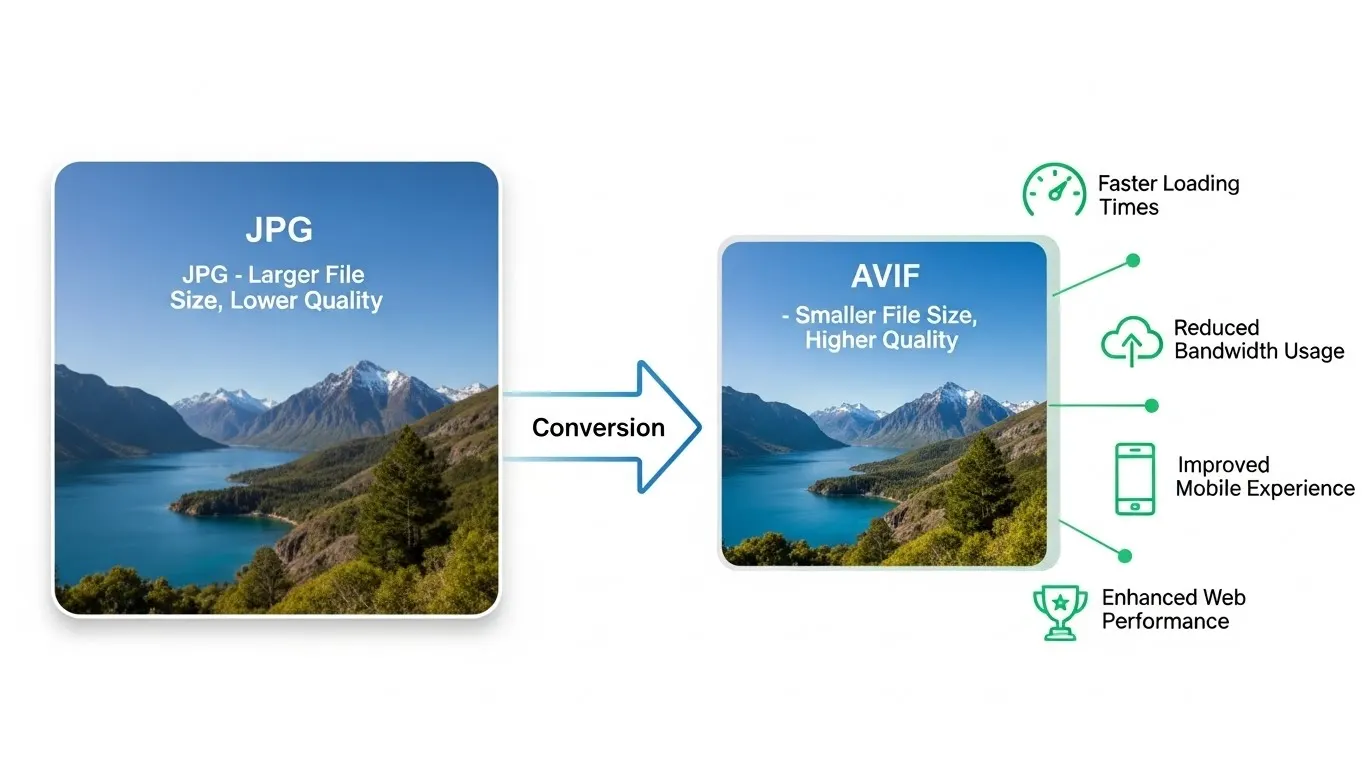
Converting JPG to AVIF is ideal when you need superior compression and modern efficiency while maintaining high quality.
Key reasons to convert JPG to AVIF
Exceptional Compression Efficiency
AVIF delivers up to 50% smaller file sizes compared to JPG at equivalent or superior visual quality. This dramatic file size reduction accelerates website loading speeds, reduces bandwidth costs, and improves user experience across mobile and desktop devices. Following modern image optimization techniques, AVIF is perfect for e-commerce product images, photography portfolios, content-heavy websites, and mobile-first applications where performance matters.
Future-Proof Image Standard
Developed by the Alliance for Open Media and backed by tech giants including Google, Apple, Netflix, Microsoft, and Mozilla, AVIF represents the future of web imagery. With rapidly growing browser support (currently 90%+ and expanding), AVIF has become the industry standard for next-generation image delivery. Major platforms including YouTube, Netflix, and Facebook already use AVIF for efficient content delivery.
Advanced Modern Features
Unlike traditional JPEG, AVIF supports both lossy and lossless compression modes, full alpha channel transparency (like PNG), High Dynamic Range (HDR) imagery, 10-bit and 12-bit color depth, and wide color gamut (WCG) support. These professional-grade features make AVIF ideal for high-quality photography, graphic design, digital art, and modern web applications requiring cutting-edge image technology.
JPG vs AVIF: Complete Format Comparison Guide
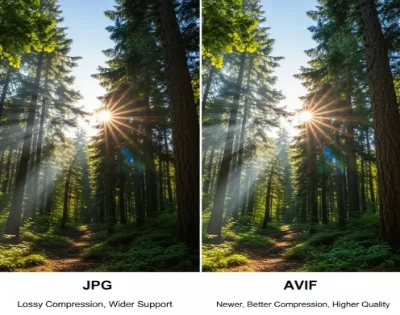
When choosing between JPG and AVIF, it’s important to know how these formats work and when to use each one. Both are widely used, but they serve different purposes.
AVIF Format Overview
AVIF (AV1 Image File Format) launched in 2019 as the next-generation successor to JPEG. Key advantages:
- Superior compression – up to 50% smaller files than JPEG at identical quality levels
- Full alpha channel transparency support (like PNG, unlike JPEG)
- Both lossy AND lossless compression options for flexibility
- 8, 10, and 12-bit color depth support for professional workflows
- HDR (High Dynamic Range) image capability for stunning visuals
- Wide Color Gamut (WCG) for vibrant, accurate color reproduction
- Animation support (like GIF) for efficient animated content
- Film grain preservation for cinematic quality photographs
- Growing 90%+ modern browser support (Chrome 85+, Safari 16+, Firefox 93+, Edge 121+)
- Significantly better quality at same file size compared to JPEG
Best for: Modern websites prioritizing performance and quality, mobile-first applications, professional photography requiring HDR, graphics needing transparency, bandwidth-sensitive applications, e-commerce product images, social media content, future-proof content delivery platforms.
JPEG (JPG) Format Overview
JPEG (Joint Photographic Experts Group) has been the web’s dominant image format since 1992. Key characteristics:
- Lossy compression only – file size reduction through quality trade-offs
- No transparency support – cannot display alpha channels or transparent backgrounds
- 8-bit color depth limitation – restricted color range
- Universal 100% browser and device compatibility worldwide
- Moderate compression efficiency for photographic content
- Quality degradation with repeated editing and saving (generation loss)
- Well-established industry standard with massive ecosystem support
- Smaller file sizes than PNG but larger than modern formats
Best for: Maximum compatibility requirements, legacy system support, simple photographic content without transparency needs, platforms that don’t support modern formats, email attachments requiring universal compatibility.
Frequently Asked Questions About JPG to AVIF Conversion
Is this JPG to AVIF converter really free?
Yes, completely free with unlimited conversions and no hidden costs. Process as many images as you need with no watermarks and no registration required. All features are 100% free forever.
How does the JPG to AVIF bulk converter work?
Simply drag and drop your JPG images into the converter. Our tool automatically compresses each one using advanced AV1 encoding through our secure conversion endpoint, intelligently batching files (5 at a time) so even large uploads process smoothly and reliably. Once conversion is complete, download your AVIF images individually or grab them all in one ZIP archive.
Can I convert multiple JPG files at once?
Yes! Simply drag and drop your images, and the tool converts them automatically — no file count limits or registration required. AVIF conversions are processed through our secure server and intelligently batched (5 at a time) to keep even large jobs running smoothly.
Will my converted images have watermarks?
What is the difference between JPG and JPEG?
There is no difference—JPG and JPEG are identical formats. The 3-letter “JPG” extension originated from Windows file naming limitations, while “JPEG” is the full format name. Our converter supports both .jpg and .jpeg file extensions seamlessly.
Can I convert JPG to AVIF without losing quality?
Our converter uses optimized lossy compression (quality-tuned for the best balance of size and clarity), which is how most AVIF conversions are done for web use — it delivers dramatically smaller file sizes with no visible quality loss in the vast majority of images. Note that our tool doesn’t currently offer a separate lossless mode; if you need pixel-perfect, 100% lossless output for archival or professional use, keep your original JPG as the source file and use AVIF specifically for web delivery.
How much smaller are AVIF files compared to JPG?
AVIF files are typically 30-50% smaller than equivalent-quality JPG files. In many cases, an AVIF image at the same file size as a JPG will display noticeably better quality. Actual savings depend on image content, complexity, and compression settings used.
Do all browsers support AVIF images?
Are my files stored on your servers?
No, never stored. AVIF conversion is handled through our secure server-side endpoint — files are processed and immediately discarded, never retained. We never share or repurpose your images, and we guarantee your privacy at every step.
Is bulk JPG to AVIF conversion supported?
Yes! Upload as many JPG images as you like — there’s no cap on total files. Our smart batching automatically processes AVIF conversions in efficient groups to keep large jobs running smoothly, then download everything as a single ZIP archive for maximum efficiency.
Can I use converted AVIF images for commercial projects?
What file sizes does the converter support?
Each image can be up to 15MB and up to 8000×8000px — generous limits that comfortably cover everything from thumbnails to large high-resolution photographs. There’s no limit on how many images you can upload in total, so batch away.