
Convert AVIF to PNG Online - Free & Fast Tool
Free Online AVIF to PNG Converter with Bulk
Transform your AVIF images to PNG format instantly with our free online converter. This browser-based tool processes conversions locally, ensuring your files remain private while delivering lossless quality output. Perfect for designers, developers, and anyone needing universal image compatibility without software installation.
- No watermarks
- No Registration
- No Signup
- Universal compatibility
- Instant ZIP Download
- 100% Private: Browser-Only Processing
Welcome to AVIF to PNG Converter
Drag & Drop your images here or click to select files
✨ Supports: JPG, PNG, WebP, AVIF, JPG, SVG, GIF, HEIC
How to Use Our AVIF to PNG Converter (3 Simple Steps)
Step 1:Upload Your AVIF Images
Drag and drop or click to select files from your device. Supports batch conversion for multiple images simultaneously.
Step 2: Automatic Conversion
Our tool instantly converts your AVIF files to PNG format in your browser. No uploads to external servers means faster processing and complete privacy.
Instant Downloads – Single or Bulk
Receive your converted PNG files individually or download all at once as a compressed ZIP archive for convenience.
Benefits of Converting AVIF to PNG
While AVIF offers superior compression, PNG provides wider compatibility and reliability across all platforms. Here’s when converting from AVIF to PNG makes sense for your workflow.
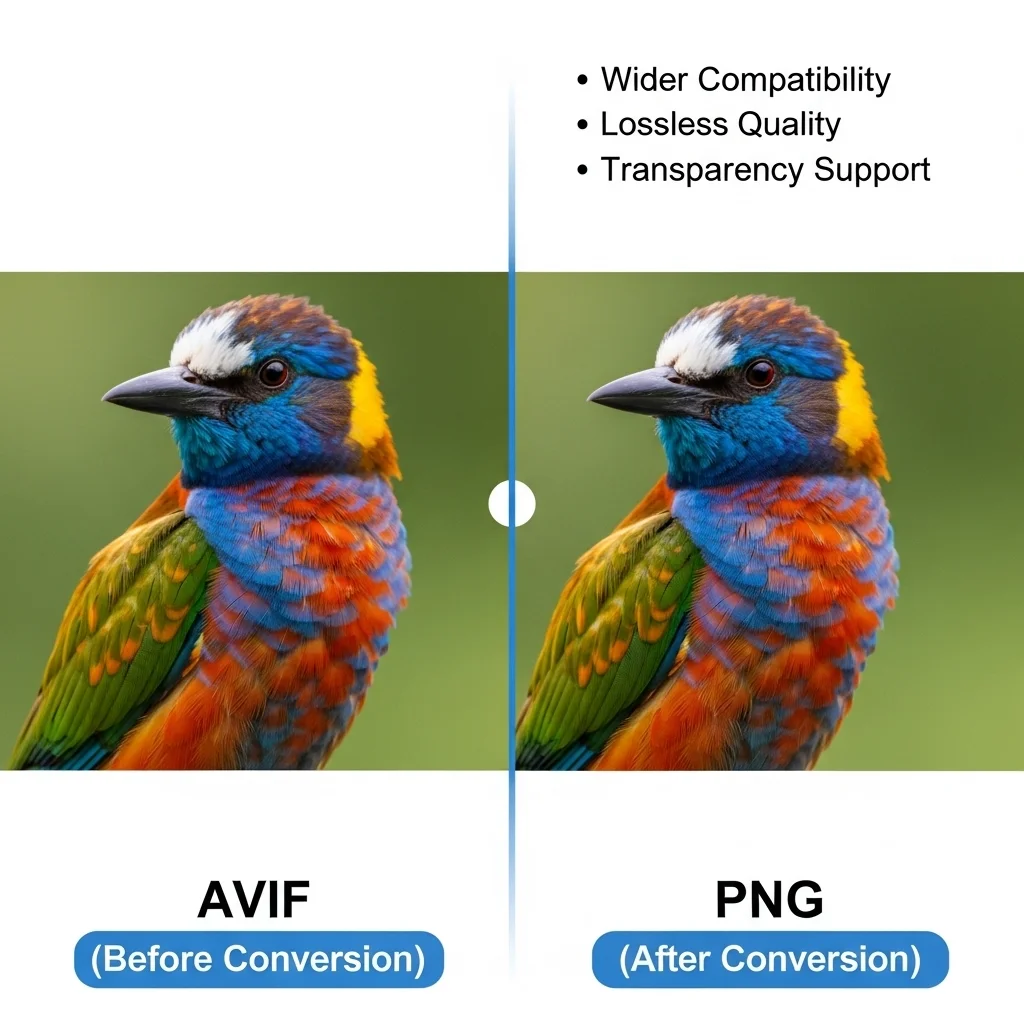
Key reasons to convert AVIF to PNG
Universal Compatibility
PNG enjoys near-universal support across every browser, operating system, and device manufactured in the last two decades. Unlike AVIF, which requires modern software, PNG files open reliably on legacy systems, older smartphones, and basic image viewers. This makes PNG the safer choice when sharing images with diverse audiences or uploading to platforms with unknown compatibility.
Lossless Quality
PNG uses lossless compression algorithms that preserve every pixel of your original image without quality loss. When converting AVIF to PNG, your images maintain their visual fidelity through multiple edits and saves. This characteristic makes PNG particularly valuable for graphics requiring repeated modifications, such as logos, product images, and design mockups where quality preservation is non-negotiable.
Transparency Support
NG's robust alpha channel support enables pixel-perfect transparency, crucial for logos, icons, and overlay graphics. When converting AVIF files with transparent backgrounds to PNG, the transparency information transfers completely, maintaining crisp edges around your subject. This feature combined with universal compatibility makes PNG ideal for web graphics, watermarks, and any visual element requiring background transparency that works reliably everywhere.

AVIF vs PNG: Complete Format Comparison
Understanding the technical differences between AVIF and PNG helps you choose the right format for your specific needs. Each format excels in different scenarios, and knowing when to use each optimizes your workflow.
AVIF (AV1 Image File Format)
The AVIF image format was developed by Alliance for Open Media in 2019, offering superior compression with support for HDR
and wide color gamut.
- Superior compression (much smaller file sizes)
- Supports full transparency (alpha channel)
- Both lossy and lossless compression options
- Supports HDR and wide color gamut
- Growing browser support (90%+)
- Developed by Alliance for Open Media (2019)
Use AVIF when: You need maximum compression for web optimization, working with modern browsers and platforms, require HDR or wide color gamut support, or when file size reduction is a priority.
Best for: Modern web applications prioritizing file size reduction, sites targeting users with current browsers, and scenarios where bandwidth savings outweigh compatibility concerns.”
PNG (Portable Network Graphics)
PNG (Portable Network Graphics) was developed in 1996 and follows the official
PNG format specifications by W3C, ensuring
lossless compression and universal compatibility.
- Lossless compression
- Supports full transparency (alpha channel)
- Larger file sizes than AVIF
- Best for graphics, logos, and text
- Universal support across all platforms and devices
- Developed in 1996
Use PNG when: You need universal compatibility across all devices, working with logos/icons/graphics, require guaranteed support on older systems, or dealing with images containing text and sharp edges.
est for: Maximum compatibility requirements, images with text or sharp edges, graphics needing transparency support, and situations where lossless quality takes priority over file size
Frequently Asked Questions (FAQ)
Is this converter free?
Yes, our AVIF to PNG converter is completely free with unlimited conversions, no file size restrictions, and zero watermarks on output files. No registration or payment required.
Can I convert multiple files?
Absolutely. Upload and convert multiple AVIF files simultaneously through batch processing. Download converted images individually or receive all files in a single convenient ZIP archive.
Will quality be affected?
PNG is a lossless format, meaning your converted images maintain the same visual quality as your original AVIF files. All transparency information, color data, and image details transfer perfectly during conversion without degradation.
Are my files stored?
No. All conversions happen entirely within your browser using client-side processing. Your files never leave your device, are never uploaded to our servers, and cannot be accessed by anyone else. Complete privacy guaranteed.