
Free Bulk Instagram Story Resizer | No Watermark 1080x1920
- No watermarks added
- No signup required
- Bulk processing - unlimited images
- 100% Private: Browser-only processing
- Instant ZIP download
- Universal compatibility
Welcome to Bulk Image Resizer
Drag & Drop your images here or click to select files
✨ Supports: JPG, PNG, WebP, AVIF, BMP, SVG, GIF, HEIC
Why Use a Bulk Instagram Story Resizer?
A bulk resizer ensures all your images display correctly at 1080×1920 pixels without cropping or quality loss. The 9:16 aspect ratio fills mobile screens completely, creating professional full-screen viewing experiences that maximize engagement. Processing multiple images at once saves hours of manual work.
Perfect Instagram Story Dimensions Every Time
Instagram’s official story size is 1080 pixels wide by 1920 pixels tall. Using a bulk Instagram story resizer eliminates guesswork and prevents black bars or awkward cropping that occurs with incorrect dimensions. Process entire photo shoots or campaigns in one batch.
Enhanced Story Performance
A quality bulk Instagram resizer maintains image sharpness while optimizing file size. Properly resized stories load faster and maintain precise placement of text, stickers, and interactive elements, leading to higher engagement rates and professional presentation.
Time-Saving Bulk Processing
Process 10, 50, or 100+ images simultaneously instead of resizing one at a time. Our bulk story resizer handles entire campaigns in seconds, making it perfect for social media managers, content creators, and businesses running story series.
How to Use This Bulk Instagram Story Resizer in 3 Simple Steps
Step 1: Upload Multiple Images
Drag and drop all your photos or click to browse multiple files. Our resizer supports JPG, PNG, WebP, AVIF, BMP, SVG, GIF, and HEIC formats for maximum flexibility.
Step 2: Automatic Bulk Resizing to 1080x1920
The bulk resizer automatically converts all images to perfect story dimensions simultaneously. High-quality output maintained across all files with consistent 9:16 aspect ratio.
Step 3: Download All Instantly
Get individual files or download everything as one ZIP file. All bulk processing happens in your browser for complete privacy and security.
Why Choose Our Bulk Instagram Story Resizer?
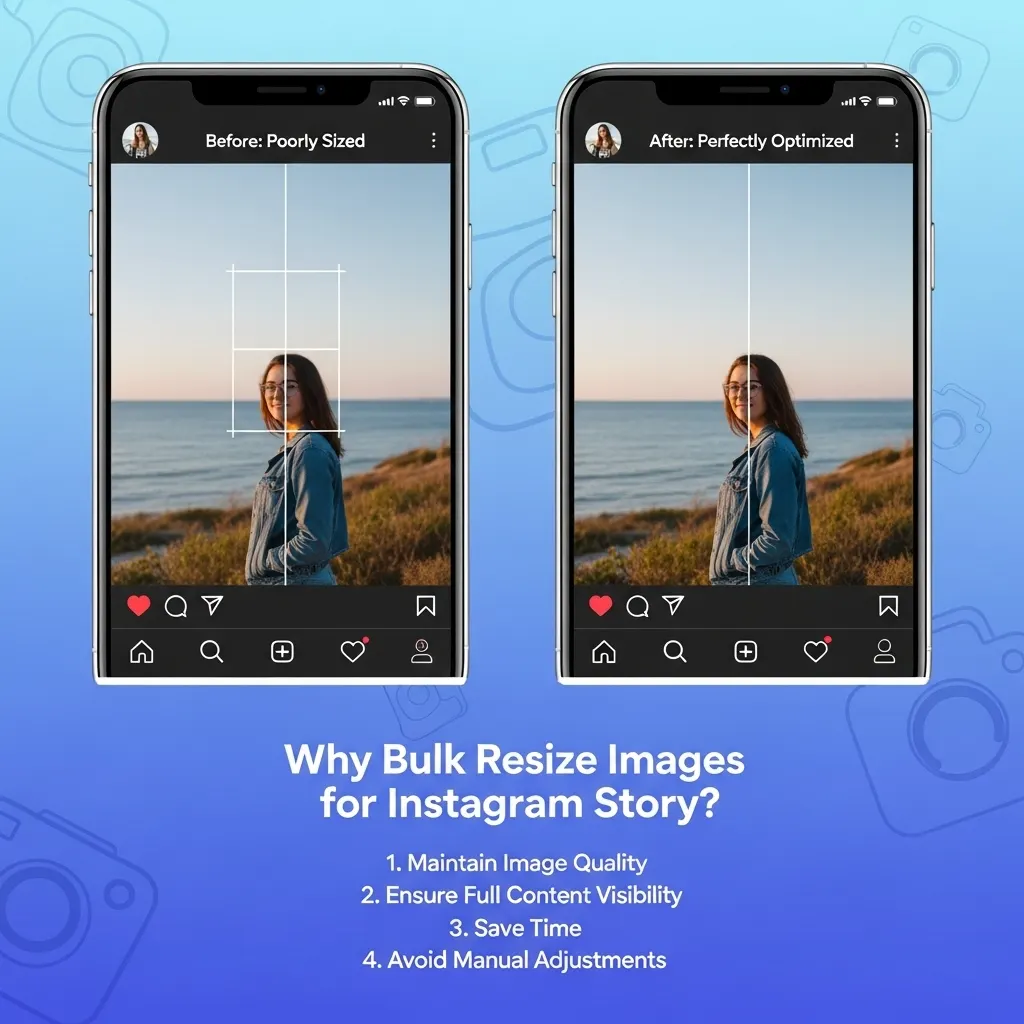
Bulk resizing images to 1080×1920 pixels ensures your visuals meet platform specifications for optimal display, faster loading, and professional presentation across multiple images.
Key reasons to bulk resize for Instagram Story:
No Watermark Policy
Unlike many Instagram story resizer tools, we never add watermarks to your images. Your bulk resized stories remain completely clean and professional—ready to upload directly to Instagram without any branding or logos from our tool.
True Bulk Processing Capability
Process unlimited images simultaneously. Upload an entire photo shoot, campaign, or week's worth of content and our resizer handles everything at once. No file limits, no restrictions.
No Signup or Registration
Start using our resizer immediately. No email required, no account creation, no verification steps. Simply upload your images and resize them to 1080x1920 pixels instantly.
Completely Free with No Hidden Costs
This resizer is 100% free with no premium tiers, no trial periods, and no surprise charges. Resize unlimited images in bulk without any restrictions or payment requirements.
Privacy-First Browser Processing
No signup means no data collection. Your images process entirely in your browser, never touching our servers. All bulk operations happen locally on your device. No tracking, no storage, no privacy concerns.
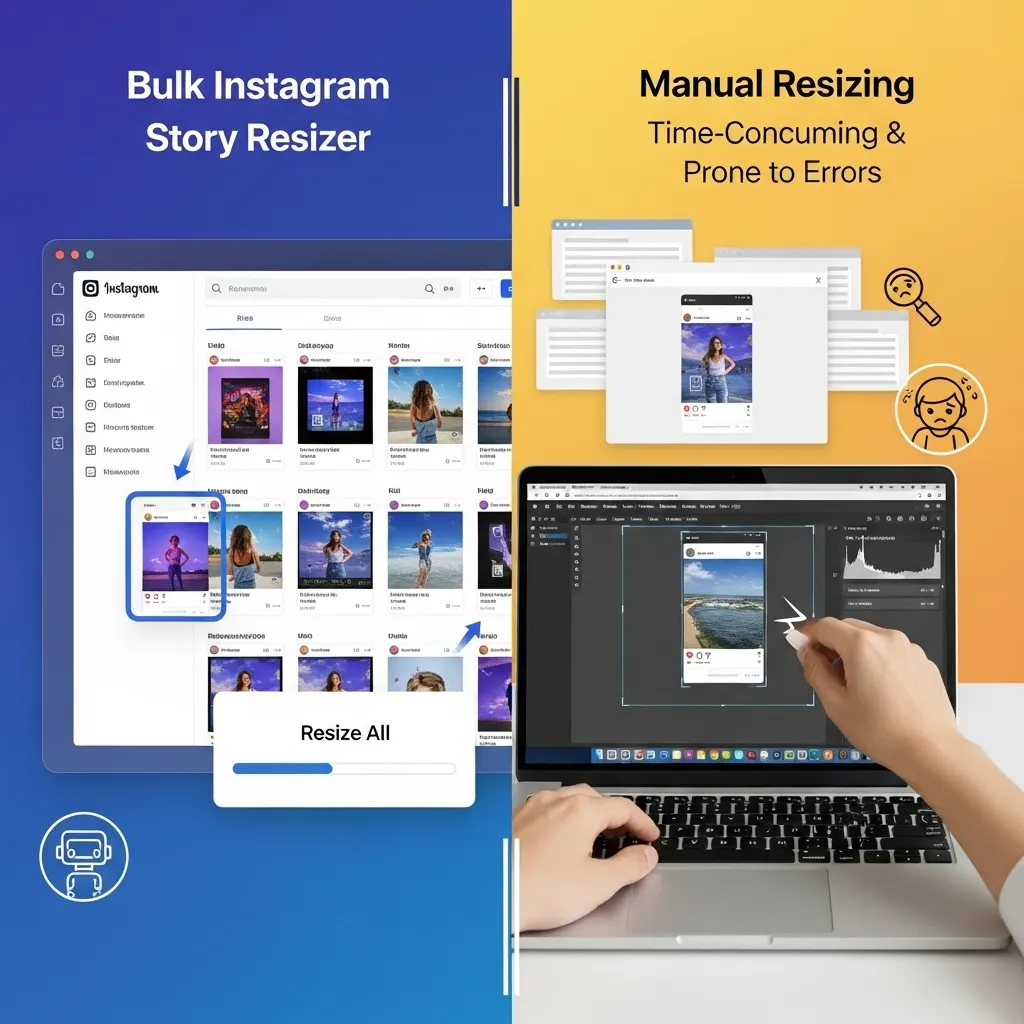
Bulk Instagram Story Resizer vs Manual Resizing
Understanding why you need a bulk Instagram story resizer versus manually resizing images in photo editors:
Benefits of Using a Bulk Story Resizer Tool
- Instant Bulk Processing: Resize dozens of images to 1080×1920 in seconds, not hours
- Consistent Results: Every image gets exactly 1080×1920 pixels with perfect 9:16 ratio
- No Software Required: Works directly in your browser
- Time Efficiency: 50 images in 30 seconds vs. 2+ hours manually
- Quality Preservation: Maintains image sharpness and color accuracy across all files
- Free & Unlimited: No cost, no file limits, no restrictions
Problems with Manual Resizing
Manual resizing in Photoshop or other editors requires:
- Processing each image individually (extremely time-consuming)
- Technical knowledge of aspect ratios
- Risk of inconsistent dimensions across files
- Expensive software subscriptions
- Complex export settings for each file
- Trial and error for proper sizing
Our bulk Instagram story resizer eliminates all these problems.
Instagram Story Size Guide - Technical Specifications
Understanding Instagram story dimensions helps you create perfect content with any bulk Instagram story resizer. Here are the essential technical details:
Optimal Instagram Story Dimensions
- Resolution: 1080 x 1920 pixels (exact output of our bulk resizer)
- Aspect Ratio: 9:16 (vertical)
- Minimum Width: 500 pixels (recommended: 1080px)
- Safe Zone: Center 1080 x 1420 pixels (avoid top/bottom 250px)
- File Size: Recommended under 5MB per file for fast loading
According to Instagram’s official help center, the recommended story dimensions that any bulk Instagram resizer should target are 1080 x 1920 pixels for optimal display quality across all devices.
Supported File Formats for Story Resizing
When using a bulk resizer, these formats work best:
- Best Formats: JPG, PNG (recommended for graphics)
- Modern Formats: WebP, AVIF (smaller file sizes)
- Legacy Formats: BMP, TIFF, GIF
- Mobile Formats: HEIC (iPhone photos)
- Maximum Image Size: 30MB per file
- Recommended Size: Under 5MB for fast loading
Common Instagram Story Size Mistakes
Without using a bulk Instagram resizer, these problems occur repeatedly across multiple images:
- Instagram automatically crops your content incorrectly
- Inconsistent dimensions across story series
- Loss of image quality and sharpness
- Text or important elements getting cut off
- Black bars appearing on screen edges
- Blurry or pixelated visuals
- Poor mobile viewing experience
- Wasted hours fixing individual images
Features of Our Bulk Instagram Story Resizer
Our bulk resizer includes powerful features that make creating perfect stories effortless:
True Unlimited Bulk Processing
Process unlimited images simultaneously without restrictions. Upload 5, 50, or 500 images—our bulk Instagram story resizer handles them all at once. Perfect for social media managers managing multiple accounts or campaigns.
ZIP Download for Bulk Files
After bulk processing, download all resized images as a single ZIP file. No need to click download dozens of times—get everything in one organized package ready to upload to Instagram.
Browser-Based Bulk Processing
This bulk Instagram story resizer works entirely in your browser using advanced client-side technology. Bulk process hundreds of images without any uploads to external servers. Your files stay completely private and secure.
Quality Output Across All Images
Our bulk story resizer uses advanced algorithms to maintain maximum image quality while optimizing file size across all processed images. Consistent, crisp, professional results every time—whether you’re processing 1 image or 100.
Multi-Format Support
Upload mixed format batches—JPG, PNG, HEIC, WebP all together. Our Instagram resizer automatically handles all formats and outputs them consistently as 1080×1920 pixels.
1080x1920 vs Original Size - Which Should You Use?
Choosing between original image size and using a bulk Instagram story resizer depends on your content goals:
When to Use Original Image Size
Original high-resolution images work best for professional photography archives, print projects, or content destined for multiple platforms. However, they create problems for Instagram stories:
- Large file sizes slow upload and viewing
- May not match Instagram’s 9:16 aspect ratio
- Risk of automatic cropping by Instagram
- Inconsistent sizing across story series
- Wastes mobile data and storage
- Requires manual processing for each image
Benefits of Using a Bulk Instagram Story Resizer
Resizing to Instagram’s recommended 1080×1920 dimensions provides:
- Perfect full-screen fit on all mobile devices
- Faster loading times for better user experience
- Precise element placement (text, stickers, polls)
- Professional, polished appearance
- Optimal file size for quick uploads
- Maximum engagement potential
- Consistent dimensions across entire story series
- Time savings when processing multiple images
Use a bulk Instagram story resizer for: Daily stories, product launches, behind-the-scenes content, announcements, tutorials, time-sensitive campaigns, story series, and any content exclusively for Instagram stories.
Instagram Story Safe Zone for Bulk Resized Images
Choosing between original image size and using a bulk Instagram resizer depends on your content goals:
Understanding the Safe Zone
- Full Story Size: 1080 x 1920 pixels (created by bulk Instagram story resizer)
- Safe Zone Area: 1080 x 1420 pixels (center portion)
- Top Danger Zone: Top 250 pixels (profile info, close button)
- Bottom Danger Zone: Bottom 250 pixels (reply bar, navigation)
Design Within the Safe Zone
After using a bulk story resizer to get perfect dimensions for all images, keep all important content—logos, text, faces, CTAs—within the 1420-pixel-tall center section. When processing multiple images in bulk, apply consistent safe zone templates to maintain visual cohesion across your story series.
Bulk Design Templates
When using a bulk story resizer for campaigns:
- Create one master template with safe zone guidelines
- Apply consistent branding elements in safe zone
- Bulk process all campaign images with same dimensions
- Test one image before bulk uploading entire series
Best Practices for Bulk Instagram Story Resizing
Get the most from this bulk Instagram story resizer with these best practices:
Organize Before Bulk Processing
Before using the bulk Instagram story resizer:
- Group related images for each campaign or story series
- Name files sequentially (story-01.jpg, story-02.jpg)
- Start with high-resolution source images (at least 1080px wide)
- Remove any unwanted images to avoid reprocessing
- Check that all source images have similar quality
Optimize Your Bulk Workflow
Make the most of this bulk Instagram story resizer:
- Process entire campaigns in single batches
- Maintain consistent branding across story sets
- Use ZIP download for organized file management
- Create templates in safe zone dimensions
- Test batch output on actual mobile devices before mass uploading
File Format Tips for Bulk Processing
This bulk story resizer handles all formats, but for best results when processing multiple files:
- Use JPG for photo stories (smaller files, good quality)
- Use PNG for graphics with text or transparency
- Keep final files under 5MB each for fast loading
- Convert HEIC batches to JPG for universal compatibility
- Mix formats freely—the bulk resizer handles all conversions
Quality Control for Bulk Processing
When using bulk story resizer for large batches:
- Preview first few images before downloading entire ZIP
- Check aspect ratio consistency across all outputs
- Verify text/logo placement in safe zones
- Test loading speed with bulk processed files
- Keep original files as backup before Instagram upload
Meta’s research on vertical content shows that properly formatted stories created with correct dimensions generate significantly higher engagement than improperly sized content, making bulk processing tools essential for maintaining quality at scale.
Bulk Instagram Story Resizer for Different Use Cases
Social Media Managers
Process entire week’s worth of stories in one session. Our bulk Instagram story resizer saves hours when managing multiple client accounts or preparing scheduled content campaigns.
E-commerce Brands
Bulk resize product photos for Instagram stories. Process entire product catalogs to 1080×1920 pixels for consistent story shopping experiences and product launches.
Content Creators
Transform photo shoots and video screenshots into story-ready content. Bulk story resizer handles all behind-the-scenes content, tutorials, and daily story series efficiently.
Marketing Agencies
Manage multiple client campaigns simultaneously. Bulk process hundreds of branded story templates, event coverage, and promotional content with consistent quality.
Frequently Asked Questions About Bulk Instagram Story Resizer
What is a bulk Instagram story resizer?
A bulk story resizer is a tool that automatically converts multiple images to Instagram’s recommended 1080 x 1920 pixel dimensions simultaneously. It processes dozens or hundreds of images at once, ensuring all stories display perfectly on mobile devices without cropping or quality loss.
How many images can I resize at once with this bulk tool?
You can upload and resize unlimited images simultaneously. Our bulk Instagram story resizer has no file count restrictions—process 10, 50, 100+ images in one batch. All files are processed together and available for download as individual files or one ZIP package.
Does this bulk Instagram story resizer add watermarks?
No, our bulk Instagram story resizer never adds watermarks to any of your images. All resized images—whether you process 1 or 1,000—remain completely clean and ready to upload directly to Instagram without any branding or logos.
Is this bulk Instagram story resizer free to use?
Yes, our bulk Instagram story resizer is completely free with no hidden costs. Process unlimited images in bulk without registration, watermarks, or payment required. No premium tiers or file limits—ever.
Yes, our bulk Instagram story resizer is completely free with no hidden costs. Process unlimited images in bulk without registration, watermarks, or payment required. No premium tiers or file limits—ever.
Do I need to sign up to use the bulk resizer?
No signup or registration required. Start using our bulk Instagram story resizer immediately without creating an account, providing an email, or any verification steps. Just upload multiple images and resize them all at once.
Is my image data safe when bulk processing?
What image formats does the bulk resizer support?
Our bulk Instagram story resizer supports all major formats including JPG/JPEG, PNG, WebP, AVIF, GIF, BMP, HEIC, and TIFF. You can upload mixed format batches, and the tool handles all conversions automatically.
What is the best size for Instagram stories?
The best size for Instagram stories is 1080 x 1920 pixels with a 9:16 aspect ratio. Using a bulk Instagram story resizer ensures perfect dimensions across all your images without manual calculations.
Can I download all bulk resized images at once?
Yes, after bulk processing, you can download all resized images as a single ZIP file. This is much faster than downloading dozens of files individually—especially useful when processing large batches for campaigns.
Will bulk resizing reduce image quality?
No, our bulk Instagram story resizer maintains maximum image quality across all processed files. Advanced algorithms preserve sharpness and color accuracy while optimizing file size for fast Instagram loading.