

Free WebP to PNG Converter — Fast, Bulk & Browser-Based
No Signup. No Watermarks. Just Clean PNG Files in Seconds.
Convert WebP to PNG free online — no account needed, no software to install.
Upload single or bulk files and download ready PNG images instantly as a ZIP.
Your files never leave your browser, so your data stays 100% private.
- Bulk convert multiple WebP files in one go
- Lossless PNG output — full quality, transparency preserved
- 100% browser-based — no uploads to any server
- Instant ZIP download — no signup, no watermarks
Welcome to WebP to PNG Converter
Drag & Drop your images here or click to select files
✨ Supports: JPG, PNG, WebP, AVIF, JPG, SVG, GIF, HEIC
How to Convert WebP to PNG Online — 3 Simple Steps
Converting WebP images to PNG takes less than a minute. No software installation, no account creation, no technical knowledge required. Here is exactly how it works.
Step 1 — Upload Your WebP Files
Drag and drop your WebP images directly into the converter or click to browse and select files from your device. You can upload a single file or dozens at once — the bulk WebP to PNG converter handles them all in one go.
Step 2 — Convert Instantly in Your Browser
Once uploaded, the tool processes every file directly inside your browser. There is no server involved, no waiting in a queue, and no file size restrictions imposed mid-session. Conversion is fast, lossless, and completely private.
Step 3 — Download Your PNG Files
Download each converted PNG file individually or grab everything at once as a single ZIP file. Your files are ready within seconds of uploading — clean, high-quality PNG output every time.
What Is a WebP to PNG Converter?
A WebP to PNG converter is an online tool that transforms WebP image files into the universally supported PNG format — without losing quality. PNG files preserve transparency, support lossless compression, and open correctly across every device, browser, operating system, and platform.
WebP is a modern image format developed by Google specifically to improve web performance through advanced image compression.
. While it offers excellent compression for web use, it is not universally supported across all software, older devices, and non-browser applications. Converting WebP to PNG solves that problem instantly.
This free WebP to PNG converter runs entirely inside your browser. No files are uploaded to any external server, meaning your images stay on your device and remain 100% private throughout the process.
Why Convert WebP Images to PNG Format?
WebP is an excellent format for web performance — but it comes with real-world limitations that make conversion necessary in many situations.
Not all software opens WebP files. Many image editors, design tools, document processors, and content management systems still do not support WebP natively. If you have ever tried to insert a WebP image into a Word document, upload it to a platform that rejects the format, or open it in an older editing tool — you already know the problem.
PNG removes every one of those friction points. It is the most universally accepted image format across all operating systems, devices, browsers, and software applications. Converting WebP images to PNG means your files will open, display, and upload correctly — everywhere, without exception.
There are several common reasons people convert WebP to PNG:
- A platform or CMS only accepts PNG or JPG uploads
- A client or collaborator cannot open WebP files on their device
- An image editor does not support WebP for further editing
- A print workflow requires a lossless, universally readable format
- Long-term archiving requires a format with guaranteed future support
PNG also maintains full lossless quality and supports transparent backgrounds — making it the ideal output format when compatibility and quality both matter.

WebP vs PNG: Understanding the Difference
WebP and PNG are both capable image formats, but they serve different purposes and are suited to different use cases. Understanding the difference helps you decide when conversion makes sense.
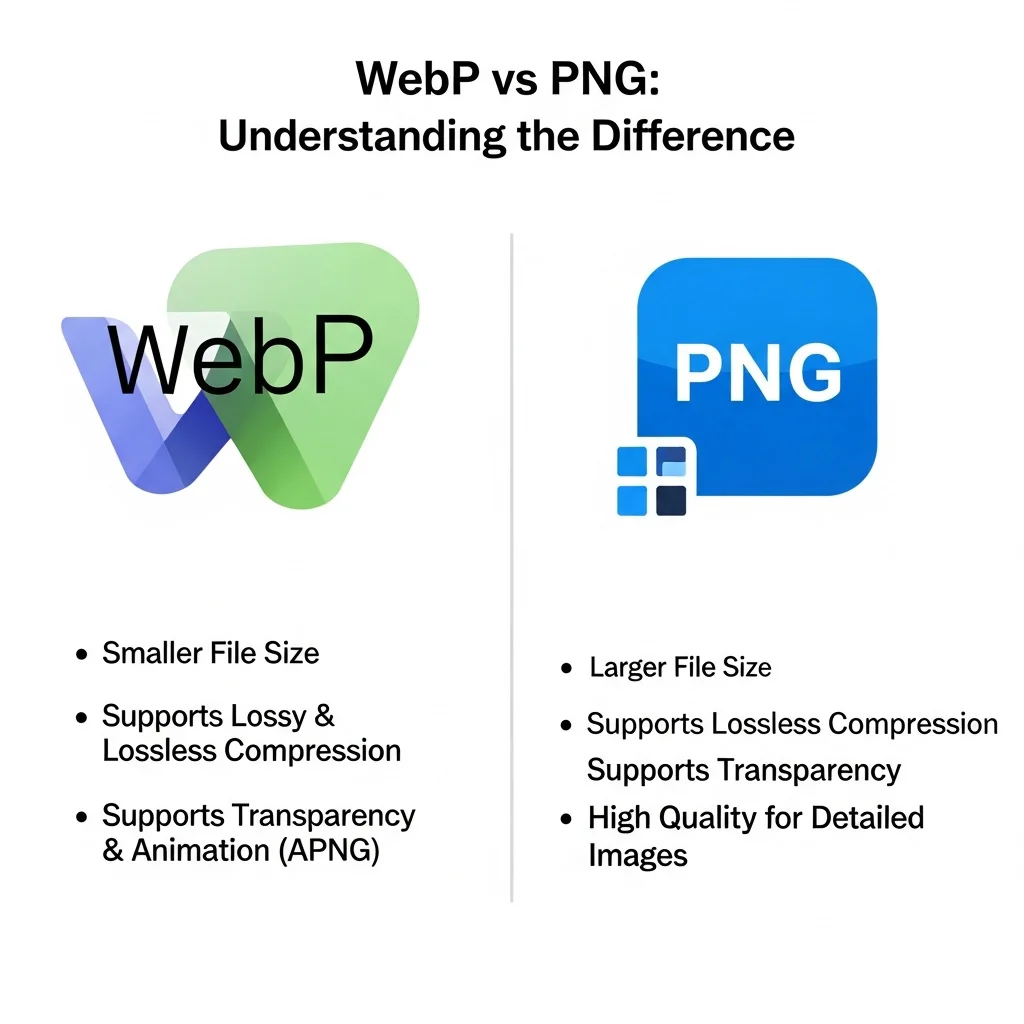
| Feature | WebP | PNG |
|---|---|---|
| Developed By | Google (2010) | W3C (1996) |
| Primary Purpose | Web performance | Universal compatibility |
| File Size | Smaller (better compression) | Slightly larger |
| Lossless Support | ✅ Yes | ✅ Yes |
| Transparency | ✅ Yes | ✅ Yes |
| Browser Support | Modern browsers only | All browsers |
| Software Support | Limited | Universal |
| Best For | Fast-loading web images | Editing, sharing, printing, archiving |
PNG has been the official open standard for lossless images since 1996. The full PNG format specification is maintained by the W3C and remains actively supported across all platforms.
WebP was created by Google specifically to make web pages load faster. It achieves smaller file sizes than PNG through more advanced compression algorithms — which is why it is widely used for website images and performance optimization.
PNG was built for longevity and compatibility. It has been the standard lossless image format for nearly three decades and is supported natively by every operating system, image editor, browser, and platform in existence. It handles transparency cleanly, preserves every pixel without quality loss, and works reliably across every workflow.
The core tradeoff is simple — WebP is lighter and faster for web delivery, while PNG is more compatible and more flexible for everything else. When your priority shifts from web speed to cross-platform usability, converting WebP to PNG is the right move.
Why Convert WebP to PNG Without Losing Quality?
One of the biggest concerns when converting image formats is quality loss. Many online converters compress images during the process, resulting in blurry edges, washed-out colors, or visible artifacts in the output file.
This WebP to PNG converter uses fully lossless processing. Every pixel from the original WebP file is preserved exactly in the output PNG — no compression artifacts, no color shifts, no degradation of any kind.
This makes it especially reliable for:
- Logo and icon conversion where sharp edges matter
- Product images where color accuracy is critical
- Design assets that will be further edited after conversion
- Screenshots and UI graphics that require pixel-perfect output
Transparent backgrounds are also fully preserved during conversion. Alpha channel data passes through the process untouched, so your PNG output will look identical to the original WebP file.
Bulk WebP to PNG Converter — Convert Entire Folders at Once
Manually converting image files one by one is time-consuming and inefficient. This bulk WebP to PNG converter is built to handle high-volume conversion in a single session.
Upload as many WebP files as needed in one batch. All files are processed simultaneously — not one after another — which means the total conversion time stays fast regardless of how many files you upload. Once done, download everything packaged into a single ZIP file with one click.
This makes bulk conversion practical for:
- Designers exporting multiple assets at once
- Developers preparing image libraries for cross-platform use
- E-commerce teams converting entire product image catalogues
- Content managers updating legacy WebP image banks to PNG
No file-by-file repetition. No multiple downloads. Just one upload, one convert, one ZIP download.
WebP to PNG With Transparent Background — Alpha Channel Preserved
Transparent backgrounds are essential for logos, icons, stickers, overlays, and UI elements. Many conversion tools silently fill transparent areas with a white or black background during processing — destroying the original design.
This converter preserves transparency completely. Whether your WebP image contains a fully transparent background, partial transparency, or complex alpha channel gradients — the converted PNG file retains every layer of transparency exactly as it was in the source file.
You will never see an unexpected white fill, color bleed, or background artifact in your output. What goes in comes out — just in a different format.
Is This WebP to PNG Converter Free?
Yes — completely and permanently free. There are no hidden charges, no premium tiers, and no features locked behind a paywall. You can convert WebP to PNG online free as many times as you need, in any session, without ever creating an account.
No watermarks are added to output files. No signup is required at any stage. No email address is collected. The tool simply works — open, upload, convert, download.
There are no file limits enforced per session, and your converted images are never stored, cached, or shared on any server. Once your browser session ends, all data is gone.
WebP to PNG Batch Converter — Who Is It Built For?
This batch WebP to PNG converter is designed for anyone who works with images on a regular basis and needs fast, reliable format conversion without friction.
- Web developers converting WebP assets into PNG for cross-browser and cross-platform compatibility
- Graphic designers preparing files for print, client delivery, or editing in tools that don’t support WebP
- Content creators formatting images for social media platforms, blogs, and CMS uploads
- E-commerce managers processing product image libraries at scale for marketplace listings
- Photographers archiving or delivering image collections in a universally readable format
- Marketing teams repurposing web-optimized WebP graphics into PNG for offline campaigns
Whether you are converting one file or five hundred, the tool handles it without slowing down.
Tips for Best Results When Converting WebP to PNG
Getting the most out of this converter is straightforward. A few simple practices help ensure consistently clean output every time.
Use original WebP source files. If your WebP has already been compressed heavily before conversion, the PNG output will reflect that quality level. Always convert from the highest quality source available.
Check transparency before downloading. If your original WebP contained transparency, open the PNG in any image viewer after download to confirm the alpha channel converted cleanly.
Use the ZIP download for bulk sessions. When converting multiple files, always use the Download All as ZIP option. It is faster and keeps all your converted files organized in one place.
Convert directly — avoid re-converting. Converting a file multiple times between formats can introduce minor quality shifts over successive generations. Convert once from the original source for the cleanest result.
Why PNG Is the Most Compatible Image Format
When it comes to image format support, no format comes close to PNG in terms of universal acceptance. PNG was developed in 1996 as an open, patent-free alternative to GIF and has since become the default standard for lossless raster images across the web, desktop software, and mobile platforms.
Every major operating system — Windows, macOS, Linux, iOS, and Android — opens PNG files natively without requiring any third-party software. Every web browser renders PNG correctly. Every image editor, from professional tools like Adobe Photoshop and Affinity Photo to free tools like GIMP and Paint.NET, fully supports PNG with complete feature compatibility.
This is exactly why converting WebP to PNG makes practical sense when you need your images to work everywhere. WebP may be technically superior in compression efficiency, but PNG removes all compatibility uncertainty. For sharing, printing, editing, uploading to platforms, or archiving images long-term — PNG is the safest and most reliable format choice.
Browser-Based Conversion — Why It Matters for Privacy
Most online image converters upload your files to a remote server for processing. This means your images — which may contain sensitive business assets, personal photos, or confidential design work — pass through a third-party system that you have no control over.
This WebP to PNG converter works differently. All conversion processing happens locally inside your browser using built-in browser APIs. Your files are never transmitted, never stored, and never accessible to anyone outside your device.
This browser-based approach matters for several reasons. It protects commercially sensitive design assets and product images. It ensures personal photographs remain private. It removes dependency on server availability — the tool works even with a slow or unstable internet connection once the page has loaded. And it means there is no risk of file retention, data breaches, or unauthorized access to your images at any point.
Frequently Asked Questions (FAQ)
How do I convert WebP to PNG online for free?
Upload your WebP file to this free online converter, click convert, and download your PNG file instantly. No account, no software, and no payment required at any step.
Does converting WebP to PNG reduce image quality?
No. This tool uses fully lossless conversion processing. Your PNG output will match the original WebP exactly — no quality reduction, no compression artifacts, and no color changes.
Can I convert WebP to PNG without uploading to a server?
Yes. This is a browser-based WebP to PNG converter. All processing happens locally inside your browser. No files are transmitted to any external server at any point, making the entire process private and secure.
What is the difference between WebP and PNG?
WebP is a modern image format optimized for fast web loading with smaller file sizes. PNG is a universal format supported across all devices, platforms, and software. PNG is the better choice when compatibility matters more than file size.
Does this tool support bulk WebP to PNG conversion?
Yes. You can upload and convert multiple WebP files simultaneously in a single session. All converted files can be downloaded together as one ZIP file instantly.
Will transparent backgrounds be preserved after conversion?
Yes. Alpha channel data and transparent backgrounds are fully preserved during the WebP to PNG conversion process. No white fill or background color is added to the output.
Is there a file size or quantity limit?
No hard limits are enforced during your session. The converter handles both small individual files and large bulk batches without restricting the number of files or total file size.