
Compress Image to 100KB - Free Bulk Image Compressor
Compress multiple images to exactly 100KB instantly with bulk processing and high quality output. Perfect file size for email attachments, profile pictures, and fast-loading web images.
- No watermarks
- No Registration
- No Signup
- Universal compatibility
- Instant ZIP Download
- 100% Private: Browser-Only Processing
Welcome to Bulk Image Compressor
Drag & Drop your images here or click to select files
✨ Supports: JPG, PNG, WebP, AVIF, BMP, SVG, GIF, HEIC
How to Bulk Compress Images to 100KB in 3 Steps
Step 1:Upload
Drop your image files or click to browse. Upload up to 100 images at once in any supported format (JPG, PNG, WebP, AVIF, BMP, GIF, HEIC, SVG).
Step 2: Automatic Conversion
Instant bulk compression to 100KB or less. Our smart compression handles each image separately while keeping visual quality high. Everything processes right in your browser - your images never leave your device.
Step 3: Instant Downloads – Single or Bulk
Get files one by one or download all compressed images as a single ZIP file. Perfect for batch uploading to government portals, admission forms, or website updates.
Why Choose Our 100KB Image Compressor?
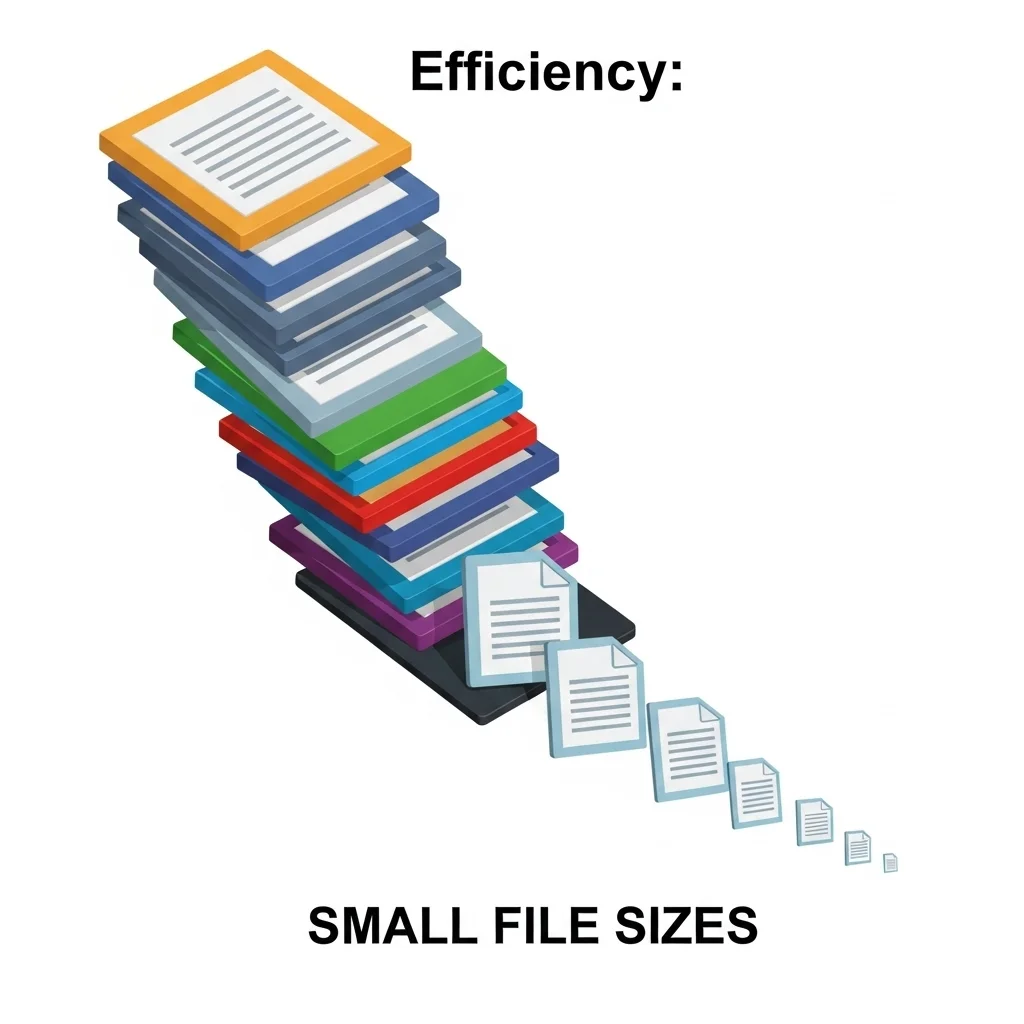
Process 100 Images at Once - Not Just 20
Most online image compressors limit you to 20-50 images per batch. Our bulk image compressor handles up to 100 images at the same time, saving you hours when preparing:
- Government job portal applications (UPSC, SSC, Railway recruitment, banking exams)
- College admission forms and university applications worldwide
- Visa and passport photo submissions for immigration documents
- Professional portfolios and business profile pictures
- Website image updates for faster loading times
Real example: Instead of processing 100 job application photos in 5 separate batches (20 images × 5 times), compress all 100 images to 100KB in one go. Perfect for HR professionals, admission counselors, recruitment agencies, or anyone handling bulk photo requirements for multiple applications.
Time savings: What takes 25 minutes with 20-image limit tools takes just 3 minutes with our 100-image capacity.
No Watermarks, Ever - 100% Clean Images
Unlike some free compressors that add watermarks, logos, or branding to your compressed images, our tool never adds watermarks. Every image you compress to 100KB is:
- ✅ Completely watermark-free
- ✅ Ready for professional use
- ✅ Good for official documents (passports, job applications, ID cards)
- ✅ No branding or logos added
- ✅ Perfect for government portal submissions
Important for: Government job portal photos (UPSC photo uploads, SSC applications), visa applications, professional headshots, LinkedIn profiles, and any official paperwork requiring clean, unmarked images.
Why this matters: Many government and official portals reject images with watermarks. Our tool makes sure your photos meet all strict requirements without any changes or branding.
No Registration or Sign Up Required
Start compressing images to 100KB right away – no account creation, no email required, no login needed. Our tool is completely hassle-free:
- Open the tool (no login screen)
- Upload your images (no email check)
- Compress to 100KB (instant processing)
- Download your files (no account needed)
Privacy-focused: Since we don’t require registration, we never collect your email, personal data, or upload history. Your privacy is completely protected. All compression happens directly in your browser – we never see or store your images.
Compare with competitors: Many tools require account creation after 5-10 compressions or ask for email signup to download files. Our tool has zero restrictions and zero data collection.
Download All as ZIP - One Click, All Files
After compression, download all your 100KB images instantly as a single ZIP file. No need to download files one by one. Simply:
- Upload and compress your images to 100KB
- Click “Download All as ZIP”
- Extract your compressed images ready for quick upload
Perfect for:
- Submitting multiple documents to government portals in one upload
- University admission systems needing multiple photo formats
- Batch uploading images to websites or content systems
- Sorting compressed photos for different job applications
- Quick file transfers via email or cloud storage
Alternative: You can also download images one by one if you only need specific files. The choice is yours – maximum flexibility for your workflow.
100% Browser-Based Processing - Complete Privacy
All image compression happens directly in your web browser. This means:
- ✅ Your images never leave your device – no upload to our servers
- ✅ Complete privacy – we never see, store, or access your photos
- ✅ Faster processing – no upload/download delays from server processing
- ✅ Works offline – once loaded, compress images without internet (some browsers)
- ✅ No limits – no server restrictions or daily caps
Why privacy matters: When compressing sensitive documents like passport photos, ID cards, visa applications, or personal photographs, you want to know that your images stay private. Our browser-based technology guarantees complete confidentiality.
Why Bulk Compress Images to 100KB?
Key Benefits:
- ✅ Faster Loading – 50x smaller file size
- ✅ Reduced Bandwidth Usage – Save data costs
- ✅ Meets Specific Size Requirements – Perfect for portals with 100KB limits
Bulk compressing images to 100KB is a must when you need lightweight files for faster loading, less bandwidth usage, and meeting specific size requirements across multiple images. Whether preparing photos for government job portals, college admission forms, or website updates, our bulk compressor handles up to 100 images at the same time.
Key Reasons to Bulk Compress to 100KB:
Perfect for Email Attachments
100KB images are lightweight enough for email without hitting attachment limits. Send multiple photos quickly while keeping acceptable quality for viewing and sharing. Most email services limit total attachment size to 25MB – with 100KB images, you can send 250 photos in one email versus just 5-10 full-resolution images.
Good for: Sharing event photos with family, sending portfolio samples to clients, sharing team photos in workplace emails, or attaching multiple product images to business messages.
Made for Profile Pictures
Most social media platforms and forums want profile pictures under 100KB for fast loading. This size makes sure your image shows up instantly while keeping clear, recognizable quality. Social networks like LinkedIn, Facebook, and professional forums often compress larger images automatically, potentially making quality worse – uploading 100KB images gives you control over the final look.
Platform requirements:
- LinkedIn: Recommends under 8MB but 100KB loads 80x faster
- Facebook: Profile photos display at ~200x200px – 100KB is perfect
- Professional forums: Many set strict 100KB limits for avatars
- Company directories: Internal HR systems often require 50-100KB photos
Fast Web Loading
100KB images load almost instantly, even on slower connections. This improves user experience, reduces bounce rates, and helps with SEO rankings by meeting Core Web Vitals standards. Google prioritizes websites with fast-loading images in search results. You can test your website’s loading speed and image performance using Google PageSpeed Insights.
Performance impact:
- 3G connection: 100KB loads in 0.3 seconds vs 3.5 seconds for 1MB image
- 4G connection: Almost instant (0.05 seconds)
- Multiple images: Page with 20 images = 2MB total vs 20MB+ for uncompressed
- SEO benefit: Faster sites rank higher in Google search results
Website use cases: Blog featured images, product thumbnails, gallery previews, team member photos, testimonial images, and content marketing visuals.

Where You Need 100KB Images - Real-World Applications

Many government employment websites require profile photos and documents under 100KB for application submissions. Our bulk image compressor to 100KB is specifically designed for these requirements, letting you compress multiple application photos at the same time.
Common Government Portals Requiring 100KB Images:
India:
- UPSC (Union Public Service Commission): Passport-size photos must be under 100KB for IAS, IPS, IFS applications
- SSC (Staff Selection Commission): Profile pictures exactly 100KB or less for CGL, CHSL, MTS exams
- Railway Recruitment Board: Application photos limited to 100KB for all positions
- IBPS Banking Exams: Candidate photos must not exceed 100KB for PO, Clerk, SO applications
- SBI Recruitment: Photograph and signature files under 100KB required
- State Government Jobs: Most state PSC portals set 100KB limits for candidate photos
- Police Recruitment: Photo uploads for constable and officer positions limited to 100KB
International:
- USAJOBS (USA): Federal government job applications accept photos under 100KB
- Civil Service UK: Application photos must meet 100KB limit
- Australia Public Service: Commonwealth job applications require compressed photos
- Singapore Government Portals: Photo size restrictions typically 100KB or less
Why 100KB limit exists: Government portals handle millions of applications every year. The 100KB limit keeps servers running efficiently, pages loading faster, and databases manageable while keeping acceptable photo quality for identification and verification.
Our advantage: Compress up to 100 job application photos at once when applying to multiple positions or preparing applications for your team, recruitment agency, or family members.
University & College Admission Forms
Educational institutions worldwide set 100KB limits for admission form photos. Students applying to multiple universities can use our bulk compressor to prepare all required photos in one batch.
Admission Systems Requiring 100KB Images:
Entrance Exams:
- JEE Main/Advanced: Photo uploads limited to 100KB for engineering admissions
- NEET: Medical college application photos under 100KB
- CAT/MAT/XAT: MBA entrance exam photos compressed to 100KB
- GATE: Graduate aptitude test photo requirements
- SAT/ACT International: Standardized test registration photos
- GRE/GMAT: Graduate school admission test photos
University Application Portals:
- Common Application: Profile pictures for US college applications
- UCAS (UK): University admission photos for British institutions
- Australian University Systems: Undergraduate and graduate application photos
- European University Portals: Erasmus and international student applications
- Asian University Systems: Photos for institutions in Singapore, Hong Kong, Japan
Scholarship Applications:
- Government scholarship portals requiring student photos
- Private foundation applications with photo submissions
- Merit-based scholarship forms with strict size limits
- International scholarship programs (Fulbright, Chevening, etc.)
Student ID Systems:
- Digital student card photo submissions
- Campus access card photos
- Library card registration images
- University portal profile pictures
Bulk benefit: Students applying to 10-20 universities can compress all required photos to 100KB in one go, saving a lot of time during application season.
Visa & Passport Applications
Immigration and travel document applications often require precisely sized images. Our tool helps you compress passport photos and visa application images to exactly 100KB for online submission portals.
Immigration Documents Requiring 100KB Photos:
Passport Services:
- Online Passport Applications: Digital passport photos for e-applications
- Passport Renewal Portals: Updated photos meeting 100KB requirements
- Expedited Passport Services: Fast-track applications with size limits
- Child Passport Applications: Multiple family photos compressed quickly
Visa Application Systems:
- US Visa Portal: DS-160 form photo upload limited to specific file sizes
- Schengen Visa Applications: EU visa photos for online submissions
- UK Visa & Immigration: Photo uploads for various visa categories
- Australian Visa Portal: eVisa applications requiring compressed photos
- Canadian Immigration: Express Entry and visa photos with size restrictions
- Asian Visa Systems: Applications for China, Japan, Singapore, UAE visas
Travel Authorization:
- ESTA (USA): Electronic travel authorization photo optional but size-limited
- eTA (Canada): Electronic travel authority photo requirements
- eVisas: Various countries offering electronic visa with photo uploads
- Work Permits: Employment authorization photos compressed to standards
Immigration Documents:
- Green Card Applications: Permanent residency photo submissions
- Citizenship Applications: Naturalization photo requirements
- Residency Permits: Long-term visa photos for expats
- Refugee/Asylum Documents: Immigration relief applications
Family applications:
When applying for family visas or group travel documents, compress all family members’ photos to 100KB at the same time – perfect for couples, families, or group travel applications.
Professional & Business Platforms
Corporate and professional environments frequently set file size restrictions for employee photos, vendor registrations, and professional profiles.
Business Use Cases for 100KB Images:
Professional Networking:
- LinkedIn Profile Updates: Faster-loading profile pictures improve visibility
- Professional Directories: Industry-specific listings requiring compressed photos
- Business Card Digital Formats: vCard photos made smaller for quick sharing
- Conference Registration: Event attendee photos for badges and programs
Corporate Systems:
- Company HR Portals: Employee photo uploads for internal directories
- Access Control Systems: Badge photos for building security
- Intranet Profiles: Staff directory photos across organization
- Microsoft Teams/Slack: Workspace profile pictures made smaller for performance
- Video Conference Profiles: Zoom, Google Meet default images
Professional Certifications:
- License Applications: Professional licensing board photo submissions
- Certification Programs: Industry certification photos (PMP, CPA, etc.)
- Continuing Education: Course registration photos
- Professional Association Memberships: Trade organization profile pictures
Business Registration:
- Company Filings: Owner/director photos for corporate registrations
- Business License Applications: Municipal and state business photos
- Contractor Portals: Vendor and supplier photo requirements
- Freelance Platforms: Upwork, Fiverr, Freelancer profile updates
- Business Verification: Bank account opening, business loan applications
Real Estate & Property:
- Agent Profile Photos: MLS listing photos compressed for websites
- Property Management Systems: Tenant and landlord photo uploads
- HOA Directories: Homeowner association member photos
Bulk business use:
HR departments can compress entire employee directories, recruitment agencies can process candidate photos in bulk, or companies can prepare multiple vendor/contractor photos for system uploads.
When choosing to bulk compress to 100KB, it’s important to understand the trade-offs between file size and quality. Our smart compression gets the best quality possible while hitting the exact 100KB target.
Original Image (Uncompressed)
Characteristics:
- ✅ High quality with maximum detail kept
- ✅ Large file sizes (often 1MB – 10MB+)
- ❌ Slow loading times on web
- ❌ Uses a lot of bandwidth and storage
- ❌ Not made for email or web use
- ❌ Goes over limits for most online applications
- ❌ Not needed for most online applications
When to use original uncompressed images:
- Professional printing and large-format prints
- Photo editing workflows needing maximum quality
- Archival storage and backup purposes
- Maximum quality is absolutely required
- Photography portfolios for print publications
Compressed Image to 100KB
Characteristics:
- ✅ Made for web and digital sharing
- ✅ 90-95% smaller file size than originals
- ✅ Lightning-fast loading times
- ✅ Minimal bandwidth usage
- ✅ Perfect for online use cases
- ✅ Keeps visual quality for screen display
- ✅ Meets specific portal requirements
When to use 100KB compressed images:
- Email attachments and quick file sharing
- Profile pictures on social media and professional platforms
- Web thumbnails and gallery images
- Government portal and admission form submissions
- Messaging apps and social media sharing
- Website updates for faster page loads
- Any application with 100KB size limits
100KB vs Original Size - Understanding the Difference

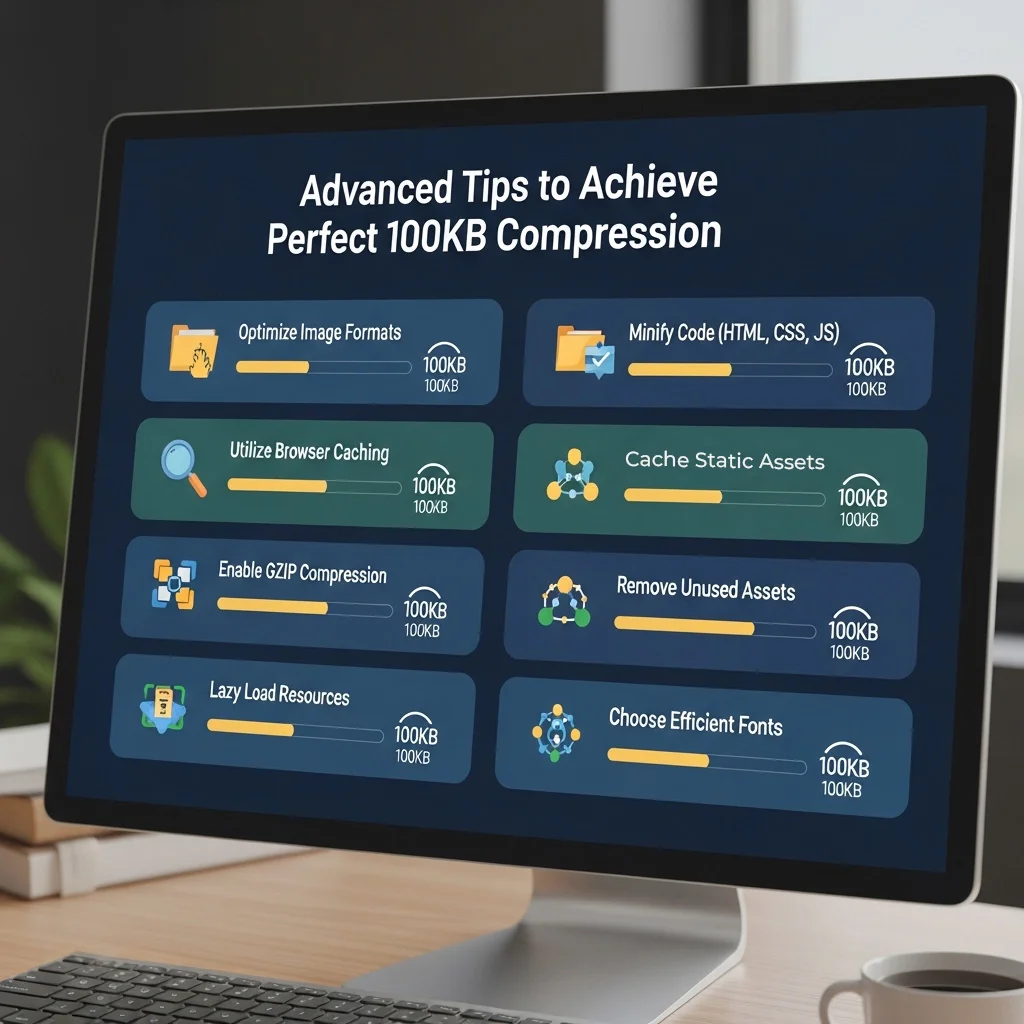
Advanced Tips to Achieve Perfect 100KB Compression
Choose the Right Source Image
Starting with a good original image is key to getting 100KB with great quality.
Best starting specs:
- Resolution: 1920x1080px or higher – high-resolution sources compress better to 100KB
- Format: Uncompressed or minimally compressed originals (RAW, PNG, high-quality JPG)
- Quality: Maximum quality source files give better 100KB results
- Lighting: Well-lit photos compress more smoothly than dark, noisy images
- ⚠️ Avoid: Re-compressing already heavily compressed images (causes quality loss and artifacts)
Pro tip: If you have a choice between a 500KB medium-quality JPG and a 5MB high-quality JPG of the same photo, always choose the 5MB version as your source – it will compress to 100KB with noticeably better results.
Get Image Dimensions Right
File size links directly to pixel count. Smart dimension adjustment helps reach 100KB targets while keeping acceptable quality.
Recommended dimensions for 100KB JPG compression:
- High quality needed: 800x600px at 85% quality = ~100KB
- Standard quality: 1024x768px at 75% quality = ~100KB
- Acceptable quality: 1280x720px at 70% quality = ~100KB
- Portrait photos: 600x800px keeps face clarity at 100KB
- Square format: 700x700px for profile pictures at 100KB
- Passport size: 600x800px (standard passport photo aspect ratio)
Dimension strategy: If your image won’t compress to 100KB with acceptable quality at current dimensions, reduce dimensions by 20-25% and compress again. Smaller dimensions allow higher quality settings at the same 100KB target.
Example workflow:
- Try 1920x1080px → Results in 150KB? Quality looks good but too large.
- Resize to 1280x720px → Compresses to 95KB with excellent quality ✅
Select Best Output Format
Different formats compress differently. Choose based on your image type and platform requirements.
JPG/JPEG (BEST for 100KB target) ⭐
- ✅ Best compression ratio for photographs and complex images
- ✅ Gets to 100KB easily with good quality
- ✅ Works everywhere – accepted on all platforms
- ✅ Small file sizes with acceptable quality loss
- ❌ No transparency support
- ❌ Not great for text, logos, or graphics with sharp edges
Use JPG for: Photographs, portraits, landscapes, complex images with gradients, passport photos, profile pictures, any natural imagery.
PNG
- ✅ Lossless quality kept
- ✅ Supports transparency (alpha channel)
- ✅ Perfect for graphics, logos, text
- ❌ Larger file sizes (hard to reach 100KB with photos)
- ❌ Not great for photographs at 100KB target
- ❌ Limited compression capabilities
Use PNG for: Graphics with transparency requirements, logos, screenshots with text, simple illustrations (but note: may exceed 100KB for complex images).
WebP (Modern, efficient) ⭐
- ✅ 25-35% smaller than JPG at same quality
- ✅ Easier to get 100KB with better quality than JPG
- ✅ Supports transparency like PNG
- ✅ Modern browser support (96%+ of browsers)
- ⚠️ Some older systems may not support WebP
Use WebP for: Web applications, modern platforms, when you want better quality at 100KB than JPG provides, progressive web apps.
AVIF (Newest, best compression) ⭐⭐
- ✅ 40-50% smaller than JPG at same quality
- ✅ Best quality possible at 100KB target
- ✅ Excellent for photos and graphics
- ✅ Growing browser support (95%+ modern browsers)
- ⚠️ Processing takes slightly longer
- ⚠️ Not supported by some older applications
Use AVIF for: Future-proof web updates, when maximum quality at 100KB is critical, modern web applications, mobile-first websites.
Format recommendation: For government portals and maximum compatibility, use JPG. For modern websites and better quality, use WebP or AVIF. Learn more about image format standards and browser support at Can I Use – WebP
Adjust Compression Settings
Fine-tune quality settings based on content type and how you’ll use it.
For Passport/ID Photos:
- Target: Exactly 100KB (most portals reject files over limit)
- Quality: 80-85%
- Dimensions: 600x800px (portrait orientation)
- Format: JPG (works everywhere)
- Focus: Face clarity, skin tone accuracy, sharp details for identification
For Job Application Photos:
- Target: 95-100KB (staying slightly under limit is safe)
- Quality: 82-88%
- Dimensions: 800x800px (square preferred for most portals)
- Format: JPG or WebP
- Focus: Professional appearance, sharp facial features, good lighting representation
For Government Portal Documents:
- Target: 100KB exactly (strict compliance)
- Quality: 75-85% depending on document type
- Dimensions: Original aspect ratio kept
- Format: JPG (PDF if specifically required)
- Focus: Text readability, signature clarity, official mark visibility
For College Admission Photos:
- Target: Under 100KB (buffer room for safety)
- Quality: 80-85%
- Dimensions: 600x800px or portal-specified size
- Format: JPG
- Focus: Clear facial features, appropriate professional appearance
For Website Updates:
- Target: Under 100KB (faster is better)
- Quality: 70-80%
- Dimensions: Made for maximum display size needed
- Format: WebP or AVIF for modern sites, JPG for compatibility
- Focus: Fast loading while keeping visual appeal
For Email Attachments:
- Target: 80-100KB (allows multiple photos per email)
- Quality: 75-80%
- Dimensions: 1024x768px or smaller
- Format: JPG
- Focus: Recognizable subjects, acceptable quality for sharing
Batch Processing Best Practices
When compressing multiple images to 100KB at the same time (up to 100 at once):
Group Similar Images Together:
- Process all photos of similar dimensions in one batch
- Separate portraits from landscapes for consistent results
- Group by content type (faces, documents, graphics, landscapes)
- Keep similar lighting conditions together
Why: Images with similar characteristics compress more predictably. Processing 50 outdoor photos together gives more consistent results than mixing indoor/outdoor, portrait/landscape, day/night photos.
Test Settings First:
- Compress 2-3 sample images before processing 100 images
- Check quality meets your specific requirements
- Make sure file sizes are consistently under 100KB
- Adjust settings if needed, then process the full batch
Smart workflow: Upload 3 representative samples → Compress → Download and review → If satisfied, upload all 100 images → Process with same settings.
Handle Edge Cases:
- Very high-resolution images (5000x3000px+): Resize to 1920x1080px first, then compress to 100KB
- Complex detailed images: May need higher quality settings, potentially resulting in 105-110KB (check if acceptable for your use)
- Simple graphics or solid backgrounds: Can get 100KB at very high quality (90%+)
Sort Your Files:
- Name files clearly before uploading (e.g., “passport_photo_john.jpg”)
- Keep original files backed up separately
- Download compressed files as ZIP for easy sorting
- Extract and check all files meet requirements before submitting
Problem: Image Quality Too Low at 100KB
Symptoms you might notice:
- Blurry faces or text that’s hard to read
- Visible compression artifacts (blocky patterns, pixelation)
- Colors look washed out, dull, or unnatural
- Important details lost in critical areas
- Grainy or noisy appearance
Solution 1: Reduce Image Dimensions
Lower resolution allows better quality at the same file size:
Example comparison:
- Original: 1920x1080px at 100KB = 70% quality (noticeable compression artifacts)
- Resized: 1024x768px at 100KB = 85% quality (excellent quality, sharp details)
How to do it: Before compressing to 100KB, resize your image to a smaller dimension. Our tool automatically handles this, but you can also pre-resize using our [bulk image resizer](/bulk-image-resizer/) then compress.
Solution 2: Change Output Format
Switch to more efficient formats for better quality:
- PNG → JPG: Big size reduction for photographs (50-70% smaller)
- JPG → WebP: 25-35% smaller at same quality
- Any format → AVIF: 40-50% smaller at same quality
Real example: A 1280x720px photo compressed to 100KB as JPG might show artifacts. The same photo as 100KB WebP looks noticeably sharper and cleaner.
Solution 3: Crop Unnecessary Areas
Remove borders, excessive backgrounds, or unimportant sections:
- Cropped image has fewer total pixels
- Same 100KB file size spread across fewer pixels = higher quality per pixel
- Focus compression budget on the important subject
Use case: Passport photo with large white background → Crop tightly around face → Better face quality at 100KB.
Solution 4: Adjust Color Space
For documents or certain images where color isn’t critical:
- Convert color photos to grayscale (if color not needed)
- Reduces file size by about 40%
- Allows higher quality/larger dimensions at 100KB target
- Perfect for document scans, signatures, black & white photos
Problem: Cannot Reach 100KB Without Severe Quality Loss
Common causes:
- Image too complex (high detail, intricate textures, fine patterns)
- Source resolution too high (6000x4000px professional photos)
- Wrong format for content type (PNG for photographs)
- Very dark or very bright photos (poor lighting increases file size)
Solution 1: Two-Step Process
Step 1: Resize original 5000x3000px to 1280x720px
Step 2: Compress resized 1280x720px image to 100KB
Result: Much better quality than compressing 5000x3000px directly to 100KB
Why this works: Resizing removes unnecessary pixels before compression, letting the algorithm focus quality on remaining pixels rather than trying to compress millions of pixels down to 100KB.
Solution 2: Selective Cropping
Focus compression on the important content:
- Keep faces sharp, allow backgrounds to compress more
- Keep text clarity, reduce decorative elements
- Crop to subject, remove unnecessary background
- Our smart compression automatically prioritizes important content
Solution 3: Accept Slightly Higher Size (If Possible)
If 100KB is a soft guideline rather than hard limit:
- 110KB often still works for many applications
- Check actual portal requirements – some say “100KB” but accept up to 120KB
- Test by uploading 105KB version to see if accepted
- Many systems round down (105KB might display as “100KB”)
Important: Always check portal requirements. Government and official portals typically enforce strict 100KB limits.
Solution 4: Process Content Before Compression
Pre-processing improvements:
- Remove backgrounds (if appropriate for your use case – like passport photos)
- Increase image contrast slightly (makes compression more efficient)
- Sharpen slightly before compressing (compensates for compression softening)
- Improve lighting in photo editing software
- Reduce noise in dark photos
Problem: Batch Processing - Some Images Fail to Reach 100KB
Symptoms:
- Most images compress successfully to 100KB
- A few images stay too large (>100KB) after processing
- Quality appears inconsistent across the batch
- Some photos look great, others look over-compressed
Why this happens:
Images have vastly different complexity levels. A simple portrait with solid background compresses easily to 100KB at high quality, while a detailed landscape with intricate textures might struggle to reach 100KB without severe quality loss.
Solution 1: Pre-Sort by Complexity
Separate images into groups before batch processing:
Simple images (easy to compress):
- Portraits with solid backgrounds
- Photos with large uniform areas
- Images with limited detail
- Process at: 75% quality setting
Complex images (harder to compress):
- Detailed landscapes with foliage
- Textured surfaces (brick, fabric, grass)
- Busy scenes with many subjects
- Process at: 70% quality or reduce dimensions more
Solution 2: Use Automatic Mode First
Let our tool analyze each image separately: – Automatically adjusts quality settings per image – Makes sure each image reaches about 100KB target – Balances quality vs size for each image separately – Review results and manually reprocess any outliers
Solution 3: Manual Adjustment for Problem Images
For stubborn images that won’t reach 100KB:
- Process one by one with custom settings
- Reduce dimensions more aggressively (try 800x600px instead of 1024x768px)
- Change format (try WebP or AVIF instead of JPG)
- Consider if 105-110KB acceptable for specific portal/use case
Solution 4: Process Content Before Compression
Pre-processing improvements:
- Remove backgrounds (if appropriate for your use case – like passport photos)
- Increase image contrast slightly (makes compression more efficient)
- Sharpen slightly before compressing (compensates for compression softening)
- Improve lighting in photo editing software
- Reduce noise in dark photos
Problem: Colors Look Different After Compression
Symptoms:
- Skin tones appear orange, reddish, or greenish
- Colors less vibrant, saturated, or washed out
- Color banding visible (visible steps instead of smooth gradients)
- Overall color cast looks different from original
Solution 1: Check Source Color Space
Separate images into groups before batch processing:
Simple images (easy to compress):
- Portraits with solid backgrounds
- Photos with large uniform areas
- Images with limited detail
- Process at: 75% quality setting
Complex images (harder to compress):
- Detailed landscapes with foliage
- Textured surfaces (brick, fabric, grass)
- Busy scenes with many subjects
- Process at: 70% quality or reduce dimensions more
Solution 2: Adjust Compression Quality
- Increase quality to 85-90% if accurate colors are critical
- May result in 105-110KB file size (check if acceptable)
- Color accuracy improves a lot with less aggressive compression
- Trade file size for color fidelity when colors matter most
Solution 3: Use PNG for Graphics
If image contains logos, text, or graphics (not photographs):
- Logos, text, charts, or diagrams
- Images with few distinct colors (illustrations)
- Flat colors more important than gradients
- Graphics with sharp edges
Note: PNG may not reach 100KB for complex images, but keeps colors perfectly.
Solution 4: Process Before Compression
Pre-adjust colors to compensate for compression:
- Slightly increase saturation in original by 5-10% (compensates for compression desaturation)
- Adjust white balance before compressing to keep accurate color temperature
- Apply mild sharpening (helps keep quality and color definition)
- Boost contrast slightly (makes colors appear more vivid after compression)
Tool recommendations: Use free tools like GIMP, Photoshop, or online editors to adjust colors before uploading to our compressor.
Solving 100KB Compression Challenges

Compare: Our 100KB Compressor vs Competitors
See how we stack up against other popular image compression tools:
Feature
Our Tool
TinyPNG
iLoveIMG
Pi7
CompressJPEG
File Size Limits
No Limits
5MB max
15 M Max
No Limits
10MB max
Exact 100KB Target
✅ Yes
❌ No
❌ No
✅ Yes
✅ Yes
Bulk Processing
100 images
20 images
50 images
1 image
20 images
Format Support
8 formats
2 formats
3 formats
4 formats
2 formats
HEIC Support
✅ Yes
❌ No
❌ No
❌ No
❌ No
Browser Processing
✅ Private
❌ Server upload
❌ Server upload
❌ Server upload
❌ Server upload
Registration
❌ Not required
❌ Not required
❌ Not required
❌ Not required
❌ Not required
Watermarks
❌ Never
❌ Never
Premium Only
❌ Never
❌ Never
Download Options
Individual + ZIP
Individual
ZIP only
Individual
Individual
WebP/AVIF Output
✅ Yes
✅ Yes
✅ Yes
❌ No
❌ No
Privacy
✅ 100% Private
⚠️ Server upload
⚠️ Server upload
⚠️ Server upload
⚠️ Server upload
Processing Speed
Fast (local)
Medium
Medium
Slow
Medium
Key Advantages of Our Tool
1. True 100KB Targeting
Unlike many competitors that only offer quality-based compression (e.g., “compress by 70%”), our tool specifically targets exactly 100KB. This makes it perfect for applications and portals with strict size requirements where you need precise file sizes, not just “smaller.”
Why this matters: Government portals, admission systems, and many professional applications enforce hard 100KB limits. Generic compressors might give you 85KB or 130KB – our tool hits 100KB consistently.
2. Massive Bulk Processing (100 Images)
Process 100 images at once versus the 20-50 image limit on most competitors. Save hours when preparing multiple job applications, student submissions, employee directories, or website updates.
Time comparison:
- Competitors (20 image limit): 100 photos = 5 separate batches × 5 minutes each = 25 minutes
- Our tool (100 image capacity): 100 photos = 1 batch = 3 minutes total
- Time saved: 22 minutes per 100 images
3. Complete Privacy (Browser-Based)
All processing happens in your browser. Your images never leave your device, unlike competitors that upload to their servers. Perfect for sensitive documents like ID photos, certificates, passport images, or confidential materials.
Privacy comparison:
- Our tool: Images stay on your device = 100% private
- Competitors: Upload to their servers = They can access your files
- Best for: Government documents, personal photos, confidential business images
4. iPhone HEIC Support
Directly upload iPhone photos in HEIC format – automatically converted and compressed to 100KB JPG. No need for separate conversion tools or manual format changes.
iPhone user benefit: Take photo on iPhone → Upload directly → Get 100KB JPG ready for any portal. Competitors require you to convert HEIC to JPG first using another tool.
5. Modern Format Support (WebP, AVIF)
Output to WebP or AVIF for even better quality at 100KB, giving you options beyond standard JPG/PNG that other tools offer. These modern formats provide 25-50% better compression, meaning higher quality at the same 100KB file size. **Quality advantage:** Same 100KB file size, noticeably sharper and cleaner images when using WebP or AVIF versus JPG.
6. ZIP Download for Bulk Files
Download all 100 compressed images as a single ZIP file. Competitors either don’t offer bulk download or limit it to their smaller batch sizes. Extract once and have all your 100KB images ready to go.
Workflow efficiency: One download, one extraction, 100 files ready – versus downloading 100 files one by one or making 5 separate batch downloads.
7. No File Size Upload Limits
Compress images of any size – whether 500KB or 50MB originals. Many competitors restrict uploads to 5-15MB maximum. Our tool handles large professional photos, RAW conversions, and high-resolution images without limits.
Professional use: Compress images from DSLR cameras, professional shoots, or high-resolution sources without pre-processing.
Related Tools - Complete Your Image Workflow
- AVIF to WebP Converter – Convert modern formats while compressing
- WebP to AVIF Converter – Upgrade to best compression format
- JPG to WebP Converter – Modernize your JPG images
- Instagram Story 9:16 Cropper – Perfect social media dimensions
- Instagram Post 1:1 Cropper – Square format cropping –
- WhatsApp Profile 1:1 Cropper – Profile picture updates
- YouTube Thumbnail 16:9 Cropper – Video thumbnail ready
- Compress Image to 50KB – Even smaller for email
- Compress Image to 200KB – Larger files with more quality
- Compress Image to 500KB – Professional web use
Start Compressing Images to 100KB Now
Ready to compress your images to 100KB? Our free bulk image compressor handles up to 100 images at once with no watermarks, no registration, and complete privacy. Perfect for government job portals, college admission forms, visa applications, and professional use.
Why choose our 100KB image compressor:
- ✅ Compress up to 100 images at the same time
- ✅ Exact 100KB target for portal requirements
- ✅ No watermarks on any compressed images
- ✅ No registration or sign up required
- ✅ Download all as convenient ZIP file
- ✅ Browser-based for complete privacy
- ✅ Support 8 image formats including HEIC
- ✅ Free forever with no limits
Frequently Asked Questions (FAQ)
Yes, completely free with no limits or watermarks. Compress up to 100 images to 100KB at the same time without any registration, payment, or hidden charges. No daily limits, no premium features locked away - everything is 100% free forever.
Yes! Unlike most compressors that limit you to 20-50 images, our bulk image compressor handles up to 100 images at the same time. Simply upload all your images, and we'll compress each one to exactly 100KB or less. Download all compressed files as a single ZIP archive for maximum convenience.
Perfect for: Processing multiple job applications, college admission forms, or batch website updates in one go.
Absolutely not. We never add watermarks, logos, or branding to your compressed images. All images compressed to 100KB are completely clean and ready for professional use, including government job portals, visa applications, passport photos, and official documents. Your images stay exactly as you uploaded them - just smaller in file size.
No registration or sign up required. Our tool works instantly without any account creation. Simply visit the page, upload your images, compress to 100KB, and download. We don't collect emails, passwords, or personal information - your privacy is fully protected. Start compressing right away with zero barriers.
After compression, you have two options:
- Download one by one: Click download button on each image separately
- Download all as ZIP: Click "Download All as ZIP" to get all your 100KB compressed images in a single ZIP file
The ZIP option is perfect for bulk processing and makes uploading to multiple portals much faster. Simply extract the ZIP file and your compressed images are ready to use.
Yes! Upload and compress up to 100 images at the same time. Our bulk processing feature saves hours compared to compressing images one-by-one. Simply drag and drop all your files, or click to browse and select multiple images. All images will be processed and compressed to 100KB in parallel.
Yes, compression to 100KB involves some quality reduction, but our smart compression algorithm minimizes visible loss. For typical use cases (government portals, profile pictures, web images, email attachments), the quality stays excellent and fully acceptable. Faces stay clear and recognizable, text stays readable, and colors stay accurate.
Quality kept: About 85-92% visual quality for standard viewing conditions (screens, mobile devices, web browsers). For professional printing or large format displays, you'll need larger file sizes - use 100KB compression only for digital/web purposes.
If your image is already smaller than 100KB with good quality, our tool won't artificially enlarge it. Instead, it will clean up the file by removing unnecessary metadata, color profiles, and redundant data - potentially making it even smaller while keeping the same visual quality. This gets you maximum efficiency without degrading your images.
No, never. All processing happens directly in your web browser. Your images never leave your device - they are not uploaded to our servers, not stored anywhere, and not accessible to anyone. We literally never see your images. This keeps complete privacy and security, especially important for sensitive documents like passport photos, ID cards, or personal photographs.
Simply upload your HEIC files directly - our tool automatically converts HEIC (iPhone format) to JPG while compressing to 100KB. No manual conversion needed. The output will be a JPG file that works everywhere at exactly 100KB, perfect for any application portal, government website, or platform that doesn't support HEIC format.
Batch capability: Upload multiple iPhone photos at once and convert + compress all to 100KB at the same time.
Our tool targets as close to 100KB as possible. For most images, results will be 95-100KB. However, for certain very simple images (solid colors, minimal detail, small dimensions), reaching precisely 100KB may result in unnecessary file size padding. In such cases, the compressed image might be 85-98KB with perfect quality, which is great for all applications requiring "100KB or less."
Portal acceptance: Systems requiring "maximum 100KB" accept anything under this limit - a 95KB image is perfectly acceptable and even better than 100KB.
No, compression only reduces file size - it doesn't remove, change, or modify image content. Your background stays exactly as it was. If you need to remove the background (for passport-style photos or clean product images), you'll need to use a separate background removal tool first, then compress the result to 100KB for perfect application-ready images.
Workflow for passport photos: Remove background → Compress to 100KB → Ready for government portal submission.
Not necessarily. Our tool automatically figures out the best approach and handles dimensions if needed. However, if you're starting with very large images (5000x3000px or higher), pre-resizing to 1920x1080px can improve final quality at the 100KB target.
Best practice: Upload and test first - our tool handles things automatically. Only manually resize if you're not satisfied with quality results.
This tool is specifically designed for image compression (JPG, PNG, WebP, HEIC, AVIF, BMP, GIF, SVG). For PDF compression, you'll need a dedicated PDF compressor tool.
Workaround: If your PDF contains only a single image, extract the image first, compress it to 100KB using our tool, then recreate the PDF if needed. For multi-page PDFs or documents with text, use specialized PDF compression tools.
You can compress up to 100 images at the same time in a single batch. Each image will be individually compressed to 100KB or less. This is perfect for processing multiple job applications, student admission documents, employee photos, or any bulk photo requirements.
Time savings: Compress 100 images in about 2-5 minutes (depending on your device speed) versus hours of manual one-by-one processing.
It depends on your use case:
✅ Good for:
- Web use and online galleries
- Social media sharing
- Email distribution
- Application portals and forms
- Blog and website images
- Digital portfolios (web version)
❌ Not suitable for:
- Professional printing (need 5-20MB files)
- Large-format displays
- Client delivery (provide full resolution)
- Photo editing and manipulation
- Archival storage
Recommendation: Use 100KB compression only for digital/web purposes. Always keep high-resolution originals for professional, print, or archival needs.
Our tool will clean up your image without enlarging it. The compressor removes metadata, unnecessary color profiles, and redundant data while keeping visual quality. Your final file will be the same size or slightly smaller, never artificially inflated.
Example: If you upload a 75KB image, the output might be 70KB (cleaned up) or stay 75KB if already in good shape - but will never become 100KB.
Yes! Upload any supported format (JPG, PNG, HEIC, WebP, AVIF, BMP, GIF, SVG) and the tool will automatically convert to the most efficient format (typically JPG for photos) while targeting 100KB. This is especially useful for:
- Converting iPhone HEIC photos to JPG at 100KB in one step
- Converting PNG screenshots to JPG files that work better
- Converting WebP to JPG format that works everywhere
- Converting any format to web-ready output
Format selection: The tool automatically selects the best output format for 100KB target, prioritizing JPG for photographs and compatibility.
Absolutely! Our browser-based tool works perfectly on all devices - smartphones, tablets, laptops, and desktops. Since processing happens in your browser, performance depends on your device capabilities.
Performance notes:
- Modern smartphones (iPhone 12+, Samsung S20+): Smooth performance
- Older smartphones: May take slightly longer for large batches
- Tablets: Excellent performance, similar to laptops
- Desktop computers: Fastest processing, great for 100-image batches
Mobile-friendly: The interface automatically adapts to your screen size for easy use on any device.
We support 8 image formats:
- JPG/JPEG (most common, best for photos)
- PNG (lossless, transparency support)
- WebP (modern, efficient compression)
- AVIF (newest, best quality at small sizes)
- HEIC (iPhone photos - auto-converted to JPG)
- BMP (uncompressed bitmaps)
- GIF (animated and static)
- SVG (vector graphics)
Output format: Automatically made better to JPG, WebP, or AVIF depending on source and quality requirements for 100KB target.
Yes! Our tool is specifically designed for government portal requirements. Most government employment websites (UPSC, SSC, Railway Recruitment, IBPS, SBI, state PSCs) require profile photos under 100KB. Our compressor makes sure your photos meet these exact specs.
Key features for government applications:
- Exact 100KB target (most portals enforce strict limits)
- No watermarks (portals reject marked images)
- Bulk processing (apply to multiple positions at once)
- JPG format (works on all portals)
- Privacy-focused (sensitive documents never uploaded to servers)
Processing speed:
- Single image: 1-3 seconds
- 10 images: 5-15 seconds
- 50 images: 30-60 seconds
- 100 images: 2-5 minutes
Factors affecting speed:
- Your device processing power (newer devices faster)
- Original image sizes (larger files take longer)
- Image complexity (detailed photos take longer than simple images)
- Browser performance (Chrome and Edge typically fastest)
Note: All processing happens in your browser, so speed depends on your device, not internet connection. No upload/download delays from server processing.
Yes, completely safe. All compression happens directly in your browser - your images never leave your device. This means:
✅ Your images are never uploaded to our servers or any cloud service
✅ We never see, store, or access your photos
✅ No internet connection needed after initial page load
✅ Perfect for sensitive documents: Passport photos, ID cards, visas, personal documents
✅ GDPR compliant: No data collection or storage
Why this matters: When compressing sensitive documents like government IDs, passport photos, visa applications, or personal photographs, browser-based processing guarantees your privacy.
Yes! Many visa and immigration portals require photos under 100KB for online applications. Our tool compresses passport photos and visa application images to exactly 100KB, meeting requirements for:
- US visa applications (DS-160 form)
- Schengen visa systems
- UK visa and immigration portals
- Canadian visa applications
- Australian visa systems
- Asian visa portals (China, Japan, UAE, Singapore)
Important: Always check specific dimensional requirements (pixel size) for your visa type, as different countries have different photo specs beyond just file size.